
Day/night theme switch & a rounder new look — what's new in v1.0.0.71
v1.0.0.71 gives Hongguo Downloader a rounder, more consistent redesign in both light and dark, a one-tap day/night theme switch, and a single Update all · Quality · Speed · Series control shared between the Library and the download bar. It also fixes folder names with Chinese or accented characters, makes folder windows pop up in front of the app, closes the app fully on exit, and hardens security under the hood.
Most Hongguo Downloader releases add a feature you can point at — the built-in player, Convert to H.264, the Preview button. v1.0.0.71 is different: it's a polish pass across the whole interface, plus a handful of small annoyances fixed. None of it is flashy on its own, but if you use the app daily, you'll notice it within a few taps.
What changed in v1.0.0.71
- Refreshed design. Every button, tab, chip and menu now shares one smooth, rounded visual style, applied consistently in both light and dark.
- Day/night switch. A dedicated toggle flips the whole app between light and dark themes in one tap.
- One combined update control. Update all, Quality, Speed and Series-at-once now live together in a single control, instead of being split across the Library and the download bar.
- Folders open in front. Open folder and Set folder now use a modern Windows folder picker that opens right in front of the app, not behind it.
- Chinese and accented folder names work. Set folder now accepts folder names with Chinese characters or accented letters.
- Clean close. Closing the app now closes it completely, instead of occasionally leaving a background process running.
- Security and reliability improvements under the hood.
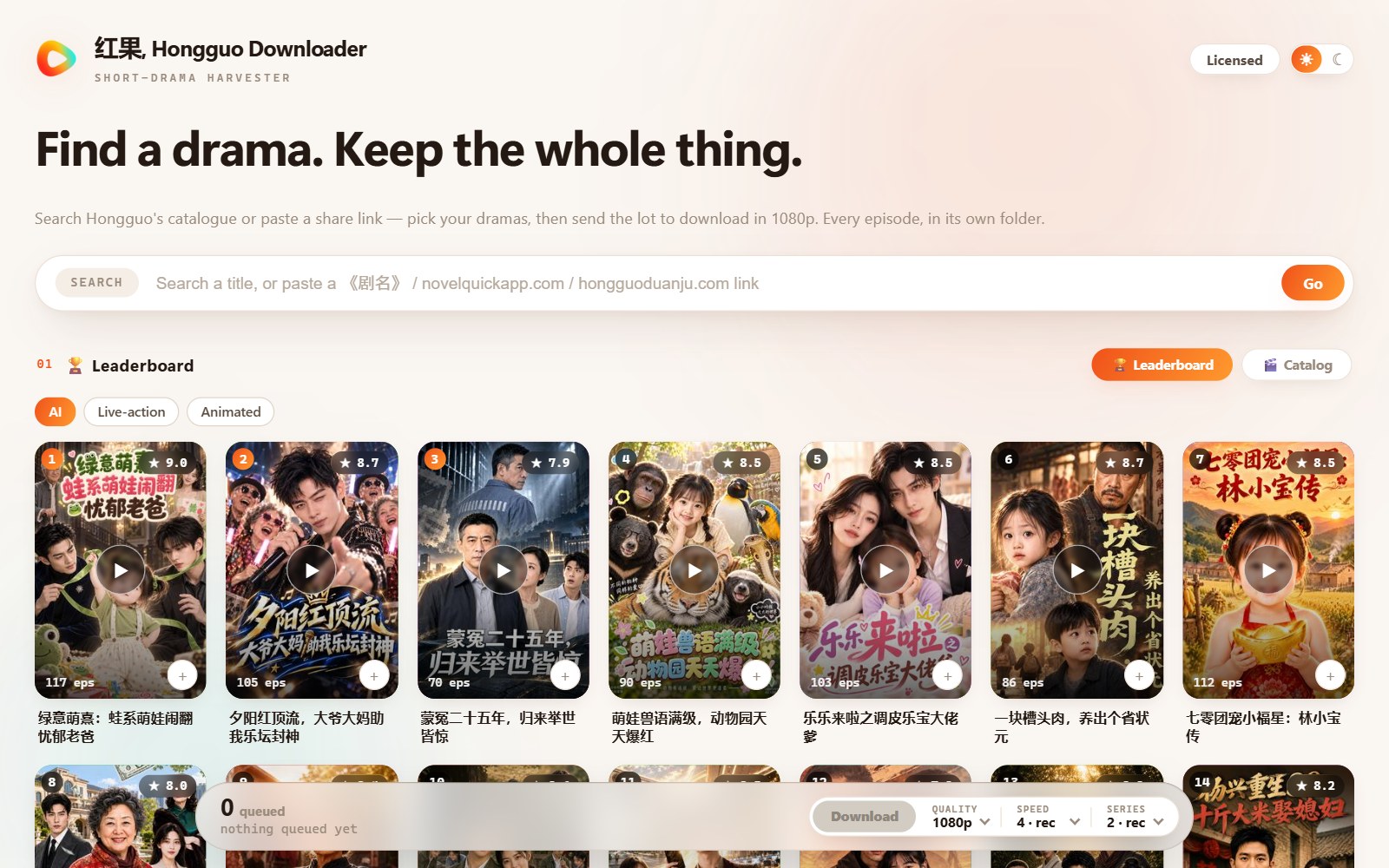
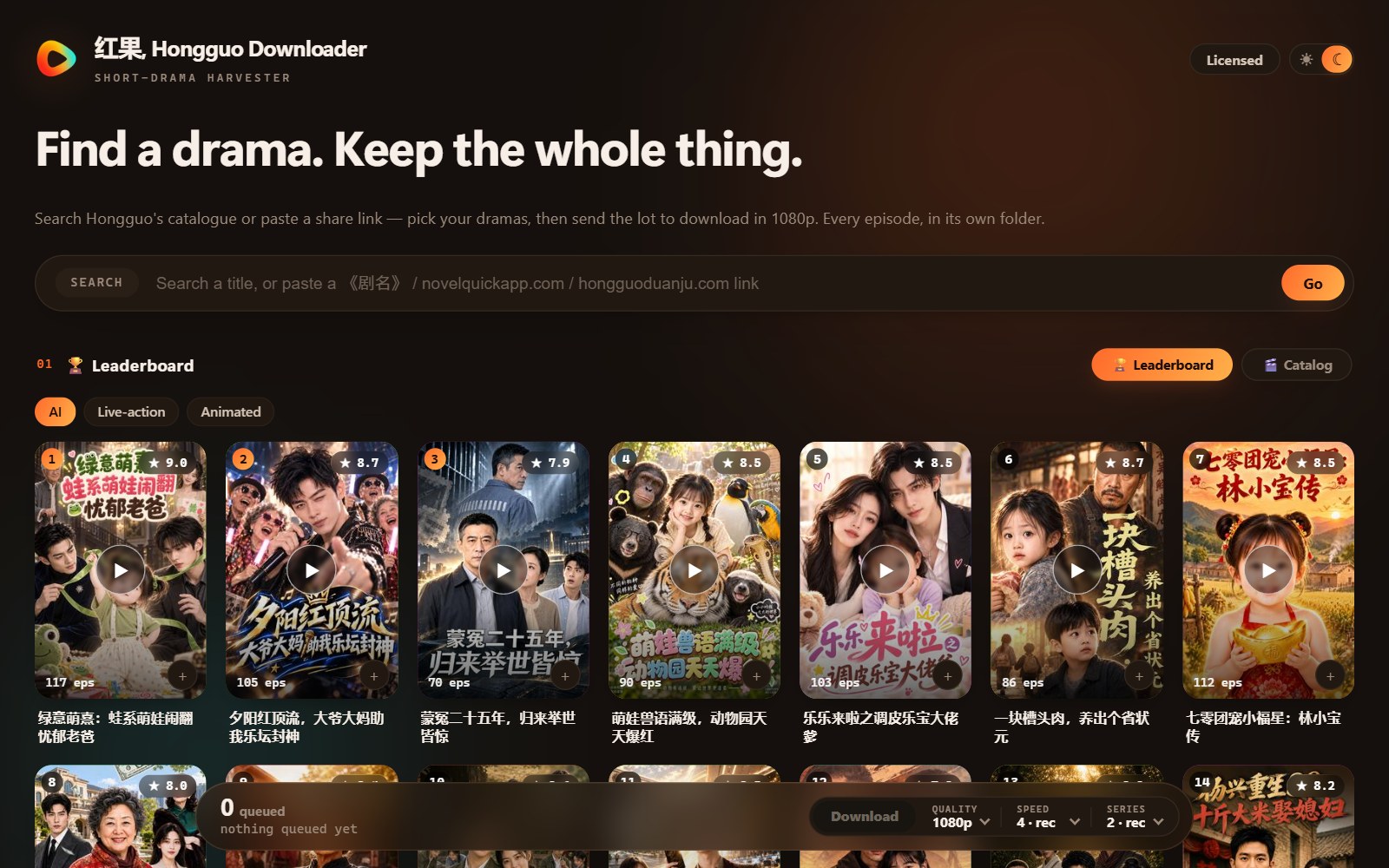
Switching between day and night
Before this release, the app's appearance generally followed your Windows theme. v1.0.0.71 adds a dedicated day/night switch inside the app itself, so you can flip between light and dark independently of your system setting — useful if you want a dark interface at night without changing your whole desktop theme, or vice versa. The switch is a single tap, and the whole interface, including the Leaderboard, Catalogue and Library, follows it immediately.
One control for Update all, Quality, Speed and Series
Hongguo Downloader has had settings for update quality, download speed, and how many series update at once since the Library was first rebuilt (back in v1.0.0.31). What v1.0.0.71 changes is where those settings live: instead of quality and speed sitting in one place and the Update all action in another, they're now combined into a single Update all · Quality · Speed · Series control that appears consistently in both the Library and on the download bar. It's the same underlying settings as before, just gathered into one place instead of scattered across two menus — a convenience fix rather than a new capability.
Folder picker: opens in front, and Chinese names work
Two related fixes here. First, tapping Open folder or Set folder now brings up Windows' modern folder picker in front of the app window — previously it could open behind the main window, which looked like nothing had happened. Second, if you ever tried to point Set folder at a folder with Chinese characters or accented letters in its name and it silently failed or behaved oddly, that's fixed: those folder names now work correctly.
Clean shutdown and security hardening
Closing the app now closes it completely. On earlier versions, exiting could occasionally leave a background process running instead of fully quitting; v1.0.0.71 makes sure the app actually shuts down when you close it. The release notes also describe general security and reliability improvements under the hood — the kind of hardening that doesn't show up as a feature on screen but continues the direction set by v1.0.0.70's signed license checks.
Frequently asked questions
What's new in v1.0.0.71?
A rounder, more consistent redesign in light and dark; a new day/night theme switch; a single Update all / Quality / Speed / Series control; a folder picker that opens in front of the app and accepts Chinese or accented folder names; a clean full shutdown on exit; and security/reliability improvements.
How do I switch between light and dark theme?
Tap the new day/night switch added in this release — one tap flips the whole app between light and dark.
What is the Update all · Quality · Speed · Series control?
The same update settings the app already had (quality, speed, how many series at once), now combined into one shared control in the Library and on the download bar instead of split across two places.
Will updating affect my downloaded library or license?
No — updates install over your current version and your license and library always carry over.
Does this fix folder names with Chinese characters?
Yes — Set folder now correctly accepts folder names with Chinese characters or accented letters, and folder windows open in front of the app instead of behind it.
Get the new look
Update to v1.0.0.71 for the rounder redesign, the day/night switch, and the fixes above — your license and library carry over automatically.