

NEWVersion 2.0 is hererebuilt for Windows 10 and 11

The Ultimate Hongguo
Short Drama
Downloader

Browse the 红果 catalogue, check the charts or paste a share link, then save the whole series to your PC as MP4.

  • Complete series in one click
  • Only the episodes you pick
  • Several series at once, with live speed
  • The original 1080p, saved as MP4
  • Plays offline in the built-in player
  • Share links work too, one or many
See plans

Version 2.0.0 · 158.6 MB
Windows 10 and 11 (64-bit)
Free: 2 new series a day · no card needed

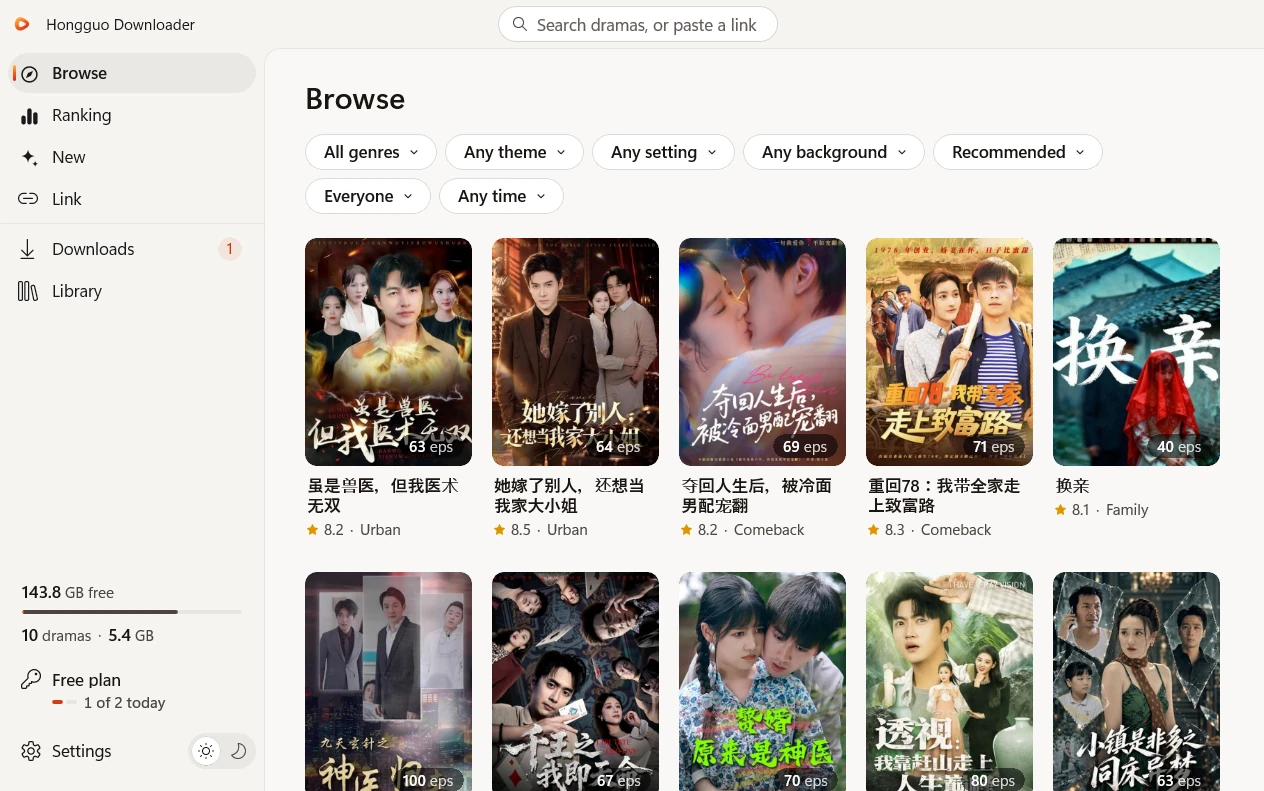
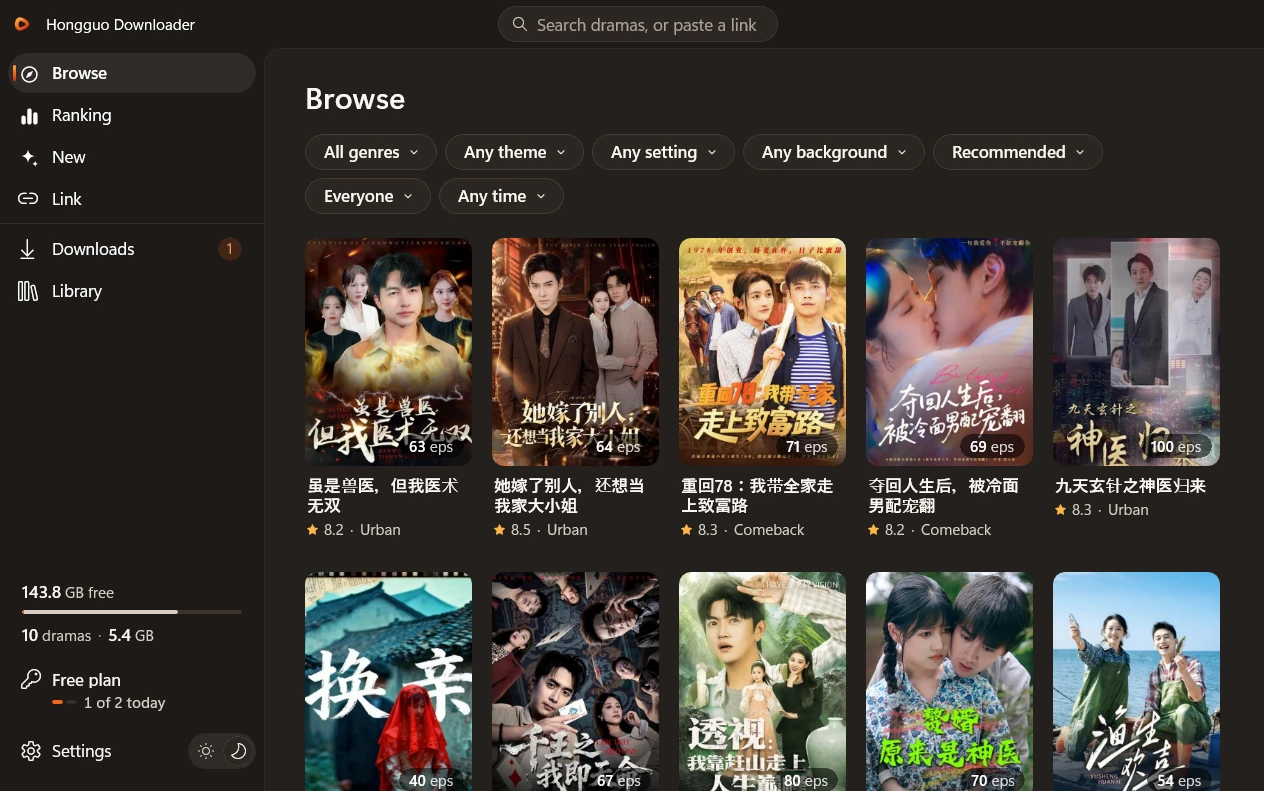
Hongguo Downloader 2.0, the Browse page: filters for genre, theme, release time and more above a grid of drama covers Hongguo Downloader 2.0, the Browse page: filters for genre, theme, release time and more above a grid of drama covers
  • Windows 10 and 11, 64-bit
  • 红果 short dramas: live action, comic and AI
  • MP4, up to 1080p
  • No account, no emulator
  • Card, PayPal, Google Pay or crypto

One window, start to finish.

Every step happens in one app: find a drama, choose what to save, download it, then watch it from your Library.

Four ways to find a drama.

Start wherever you like. After that, everything works the same.

Browse

The whole catalogue, with filters

  • Genre: live action, comic dramas and AI dramas (AI 短剧)
  • Narrow it by theme, setting, background, audience or release date
  • Sort by Recommended, Newest, Hottest or Most saved
  • Search any title from the box at the top
Ranking

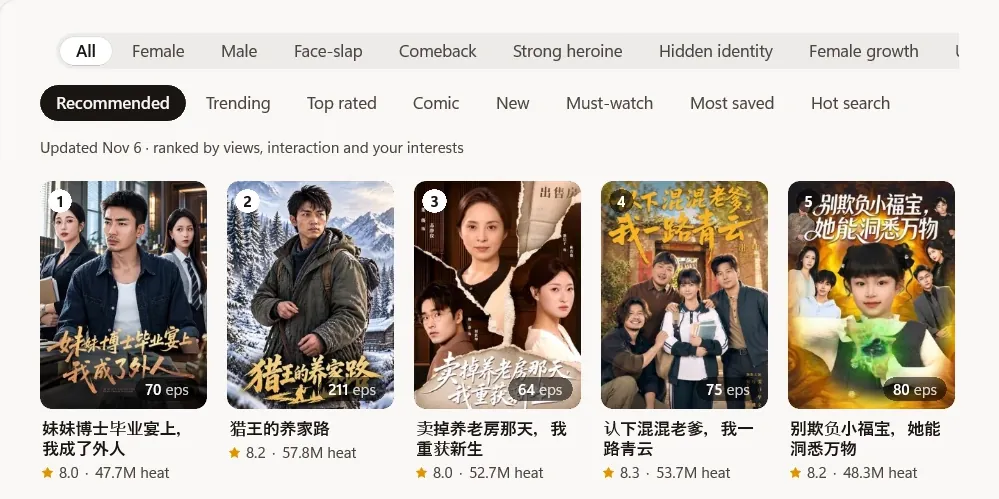
Hongguo’s own charts

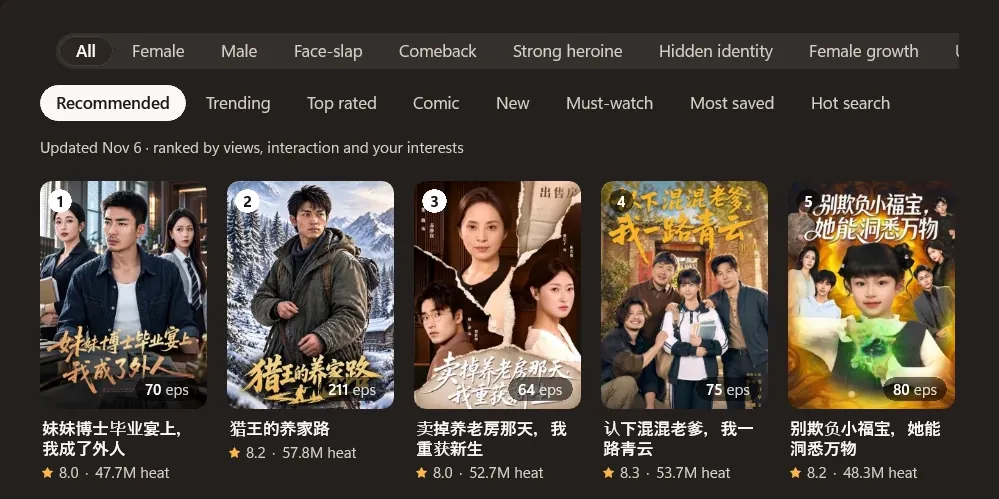
  • Charts such as Trending, Top rated and Hot search
  • Boards such as All, Female and Male
  • Numbers in plain English

New

Fresh releases

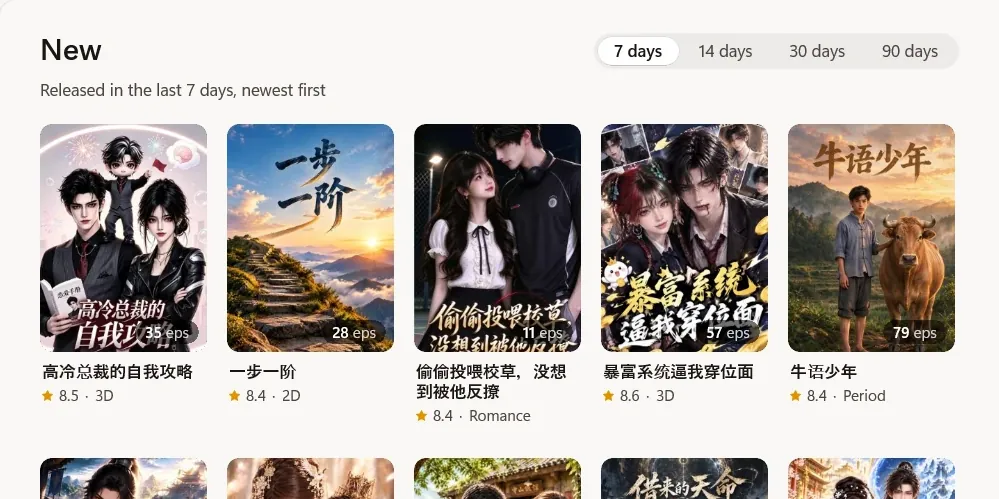
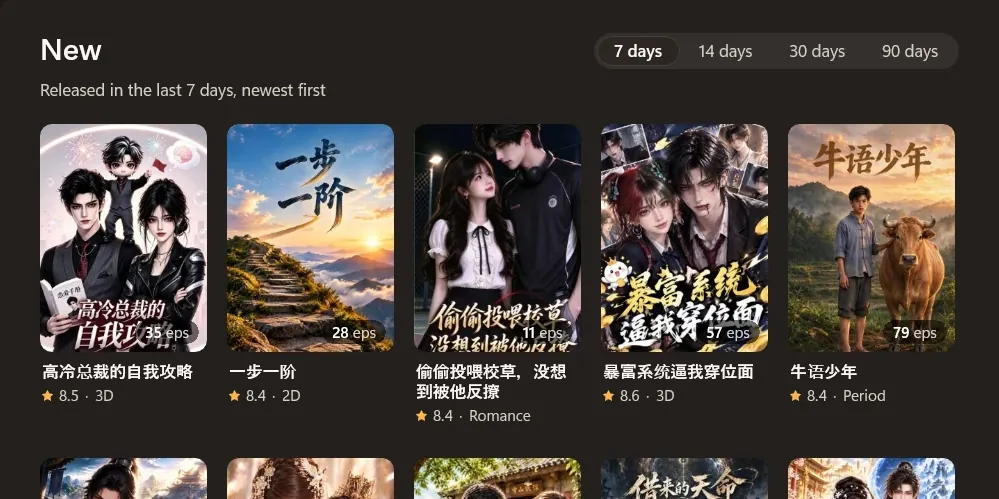
  • Dramas released in the last 7, 14, 30 or 90 days
  • Newest first

Link

  • Paste a share message, a link or a series ID
  • One or many at once, in any order
  • hongguoduanju.com links work too
The Ranking page: boards such as All, Female and Male, charts such as Trending and Top rated, and numbered drama covers The Ranking page: boards such as All, Female and Male, charts such as Trending and Top rated, and numbered drama covers
Ranking: Hongguo’s own charts
The New page: 7, 14, 30 or 90 days, with the dramas released in the last 7 days, newest first The New page: 7, 14, 30 or 90 days, with the dramas released in the last 7 days, newest first
New: released in the last 7 days, newest first

Then it’s the same for all four: open the series, choose episodes and size, and download to your PC.

Whole series, or just the episodes you pick.

Downloads in the original 1080p, several series at once, a Library that plays offline and a player built right in.

Hongguo Downloader (红果下载器, also called a Hongguo video downloader or hongguoduanju video downloader) is a Windows app for saving 红果 short dramas, including AI dramas (AI 短剧) and comic dramas.

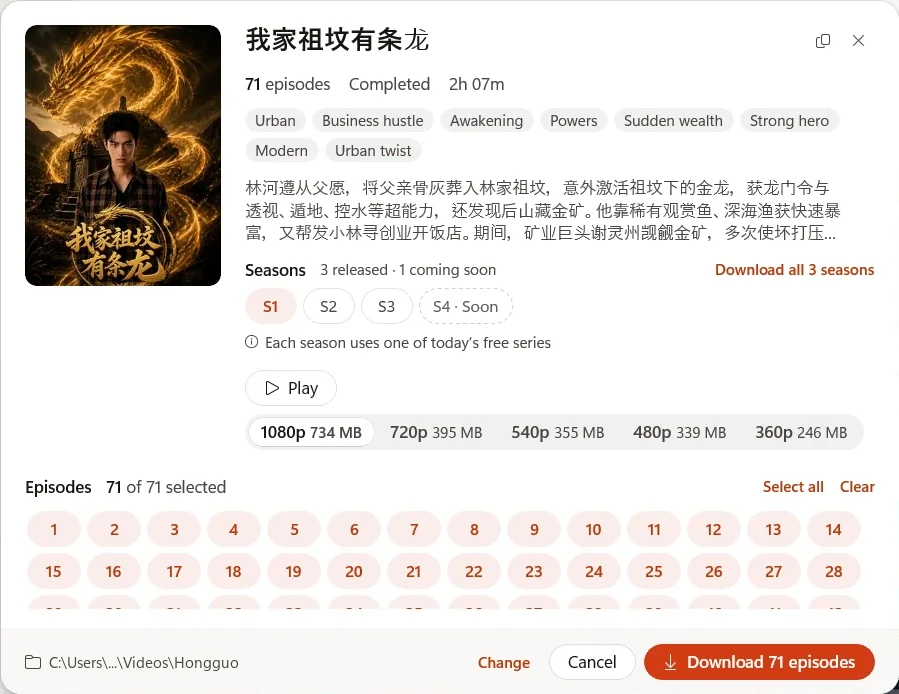
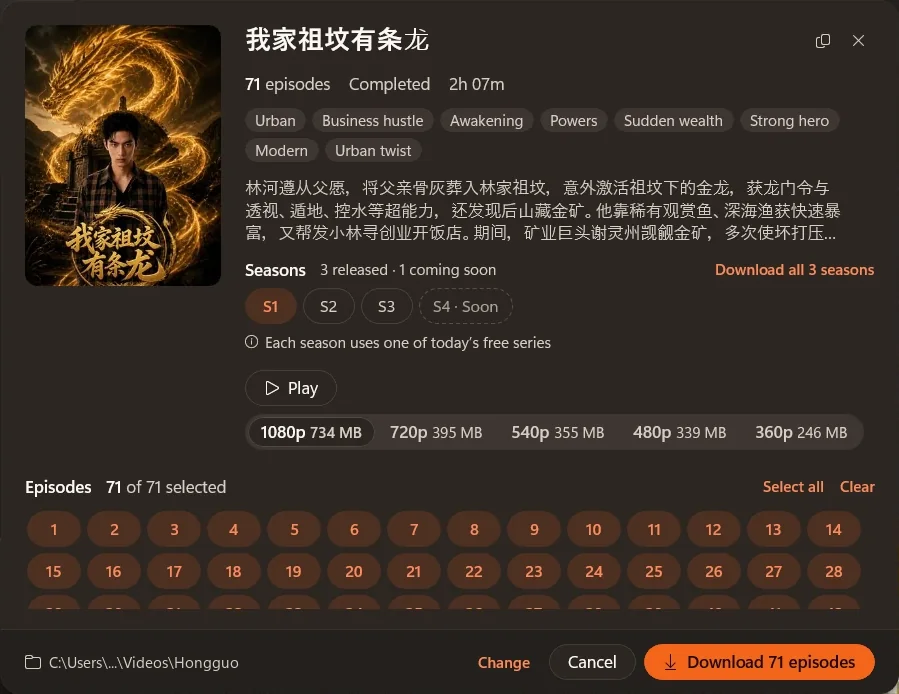
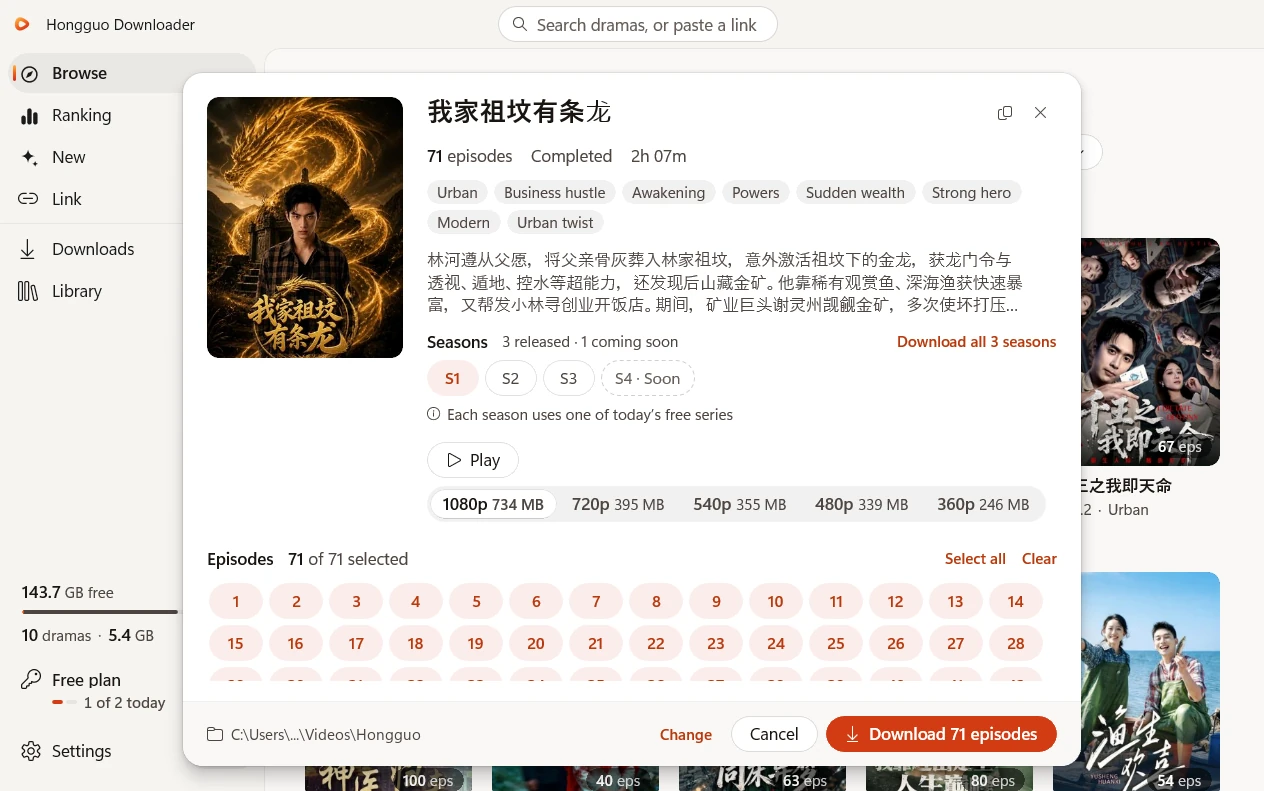
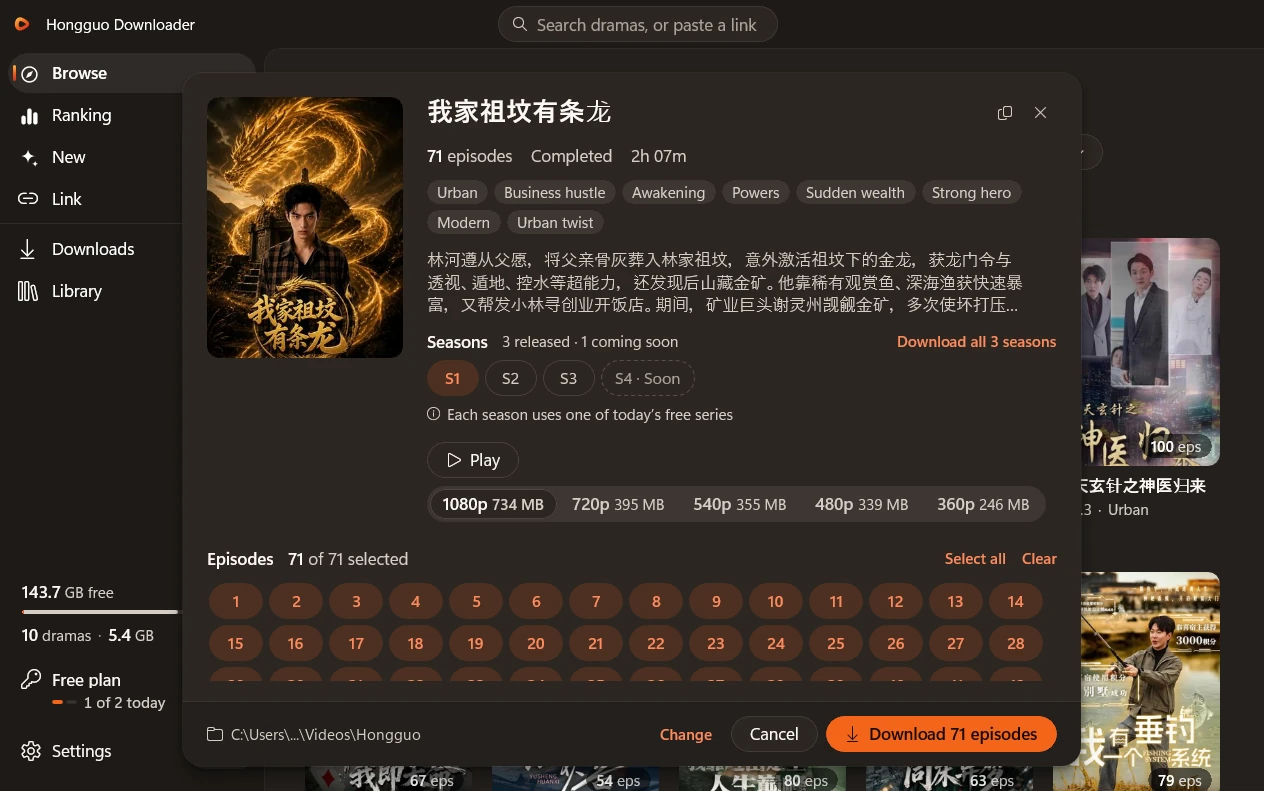
The whole series in one click

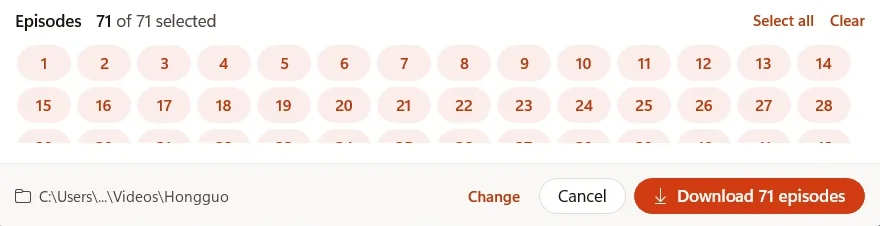
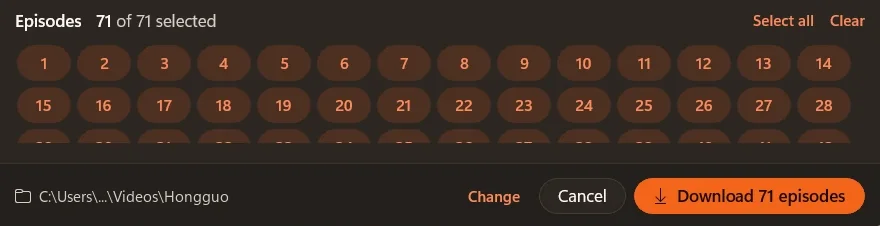
Every episode starts selected, so one click downloads them all. Want fewer? Press Clear, then click the episodes you want. A series with several seasons downloads every season in one go.

Every season, every size

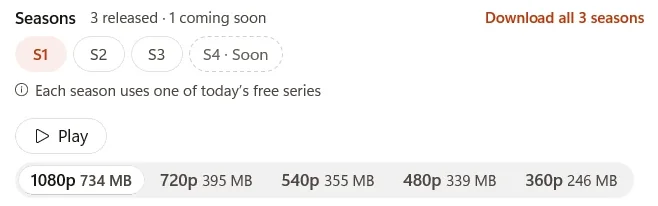
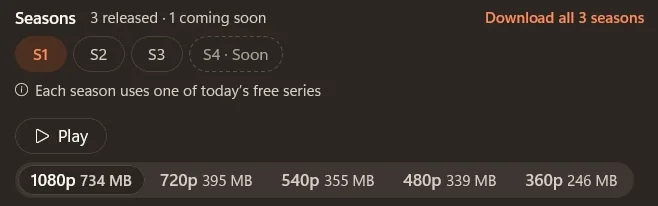
The series window shows every season and the sizes the series really comes in, from 1080p down, with about how much space each takes.

Several series at once

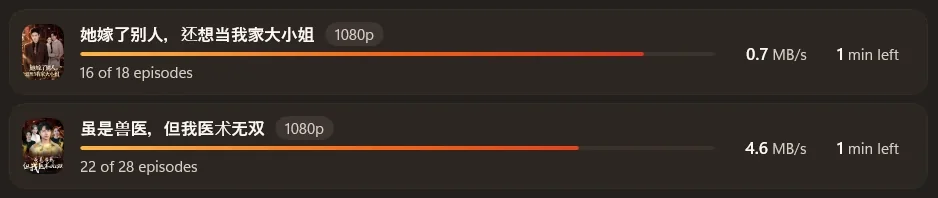
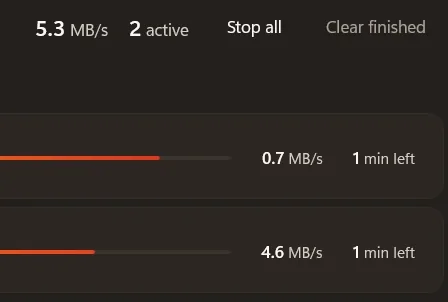
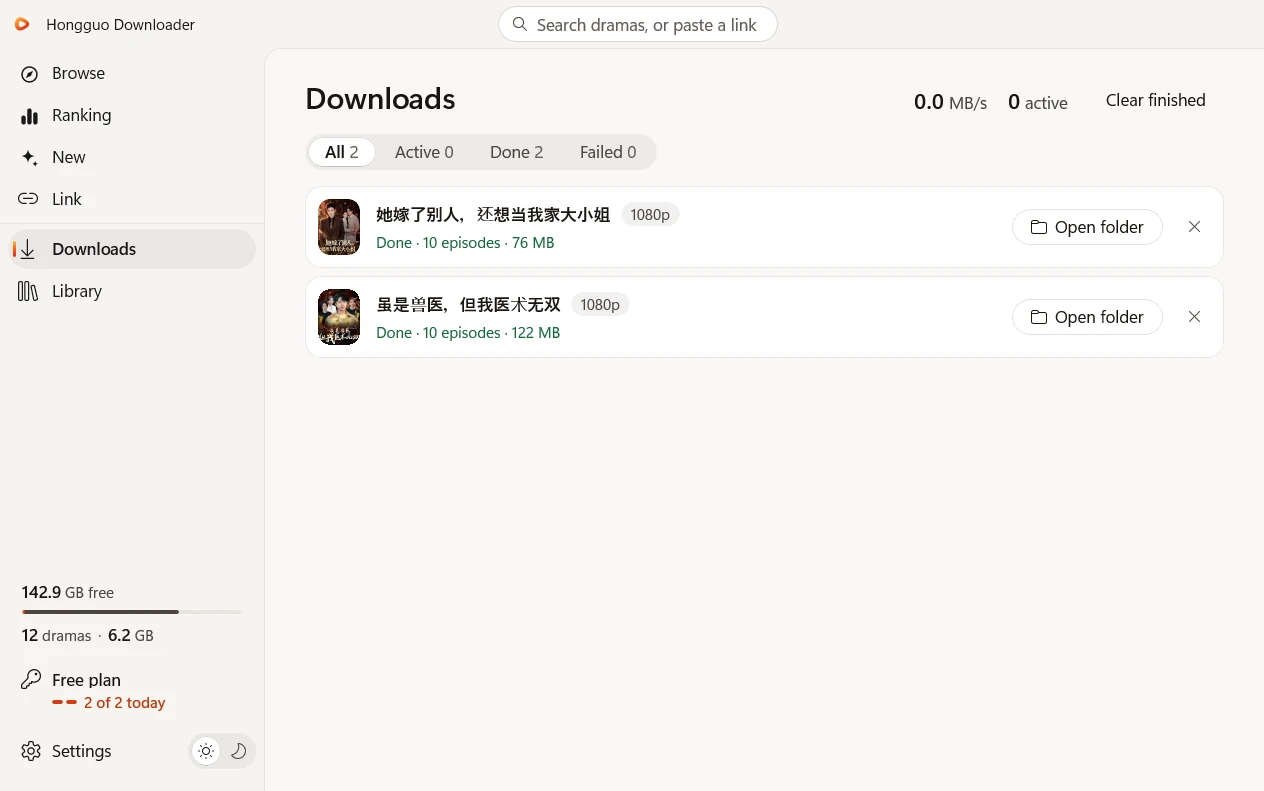
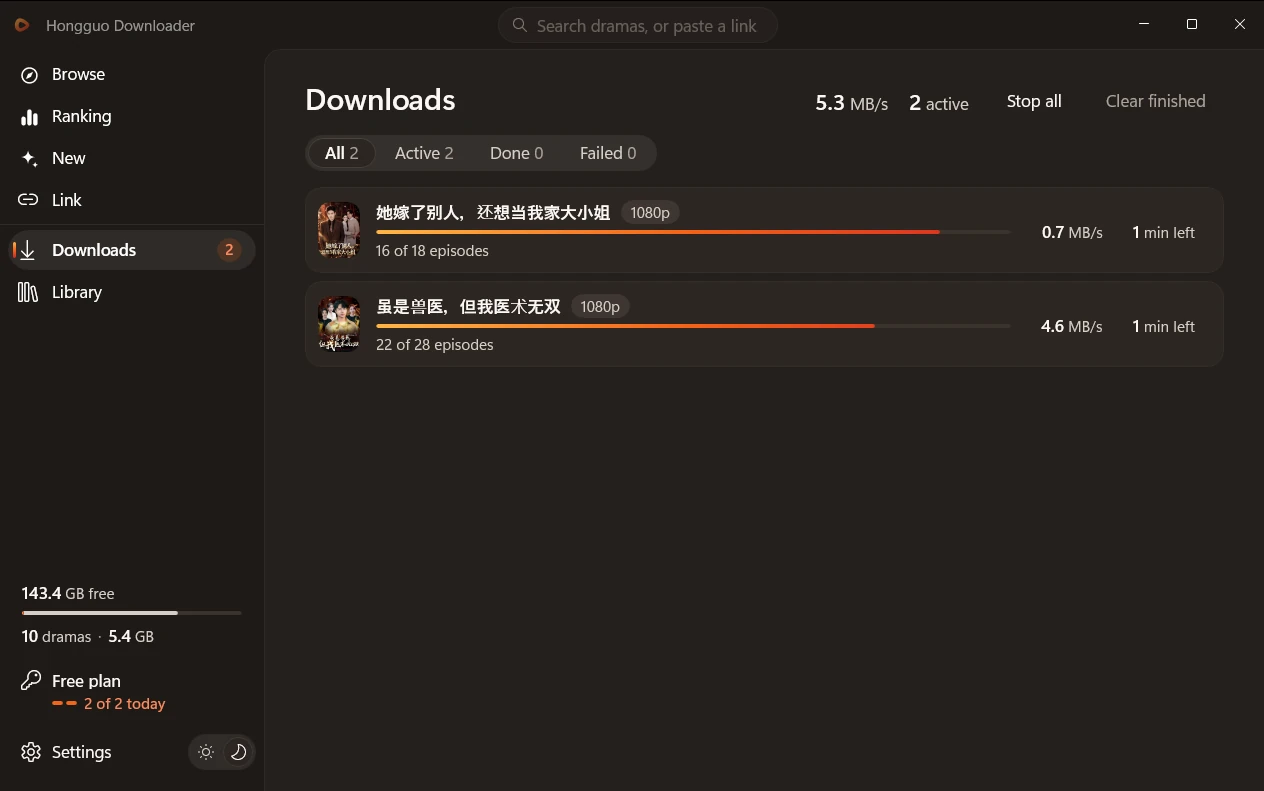
Downloads come in the original 1080p, several series at a time, with live progress and speed. Stop all in one click.

A few episodes have no 1080p copy. Those come in 720p, and Downloads says how many.

Much faster downloads

A slow or stalled connection is swapped out at once, so your downloads keep going.

A player built right in

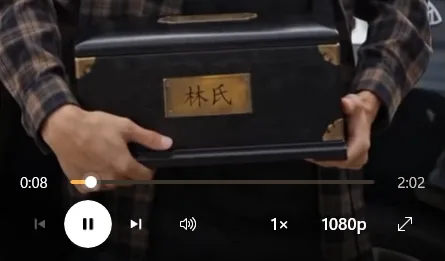
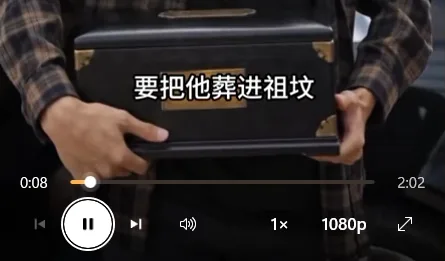
Play opens the video right in the app window, as big as the window allows. The controls fade while you watch, and every episode plays with no extra add-ons.

Your Library, even offline

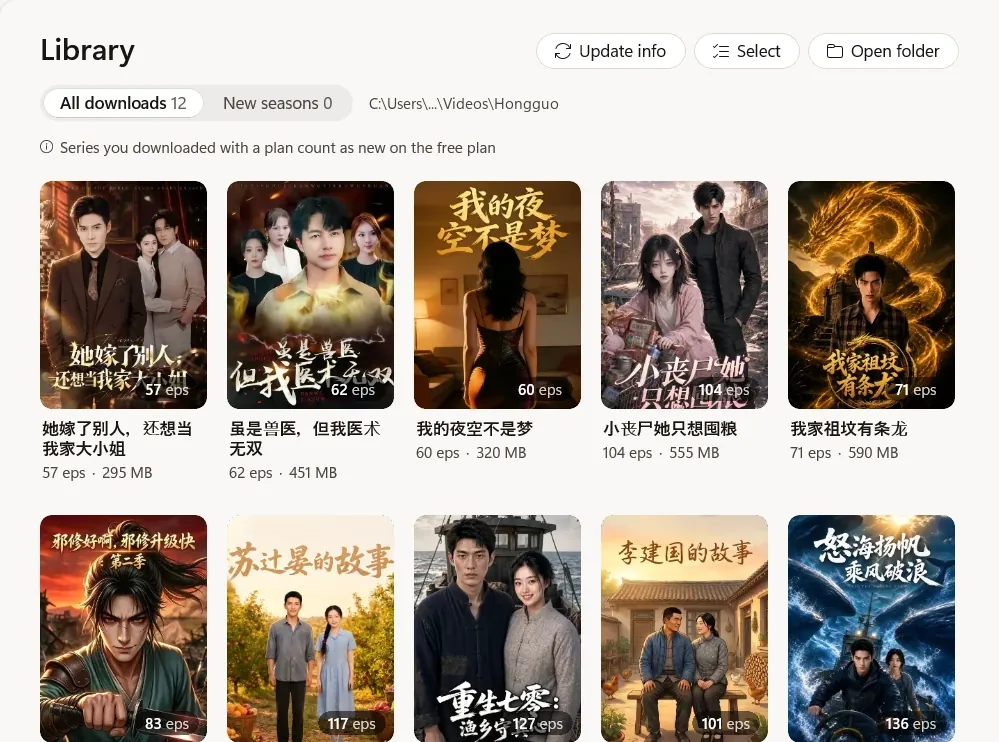
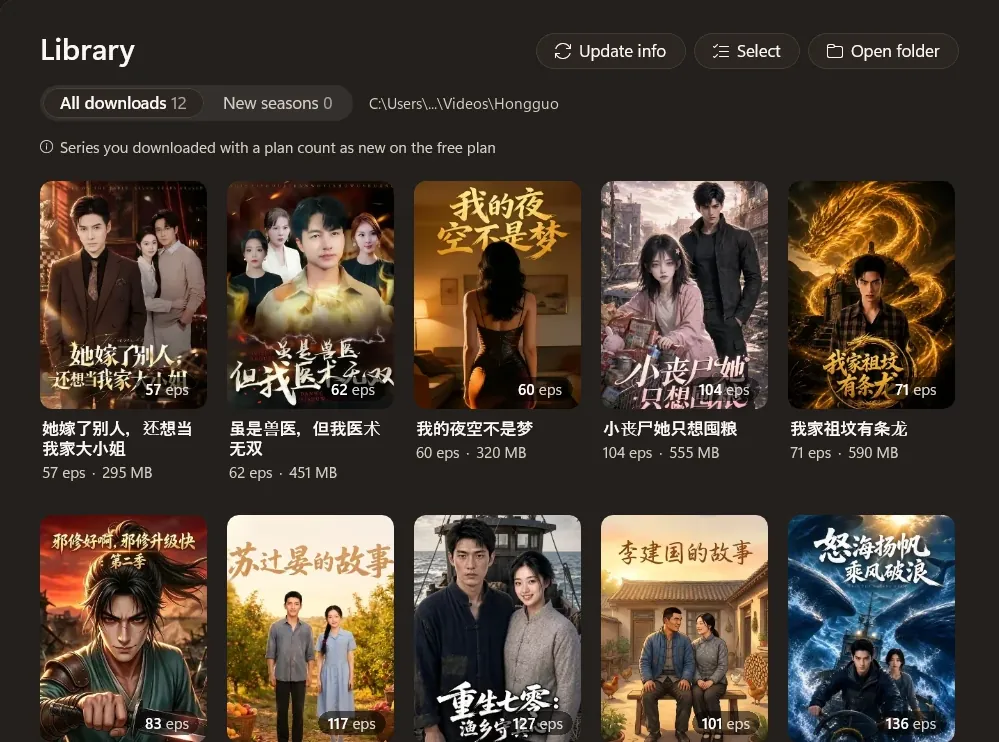
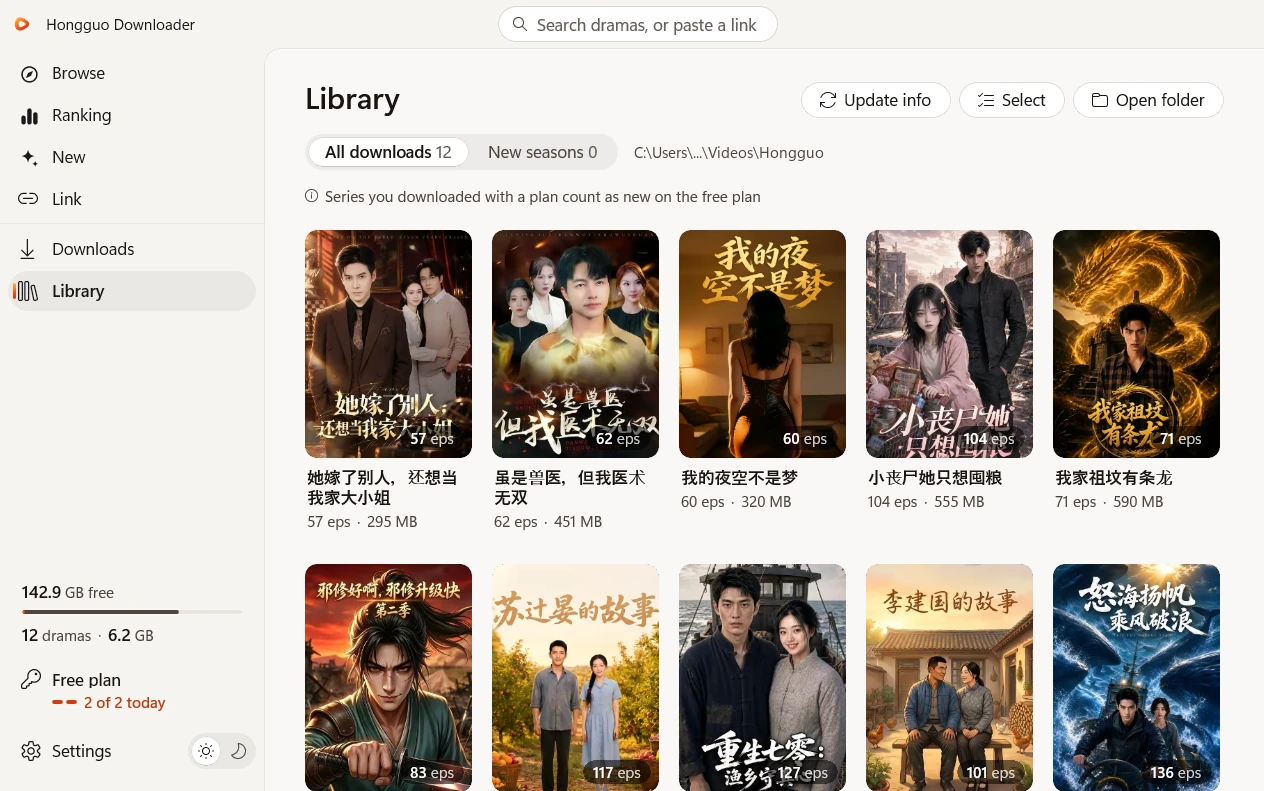
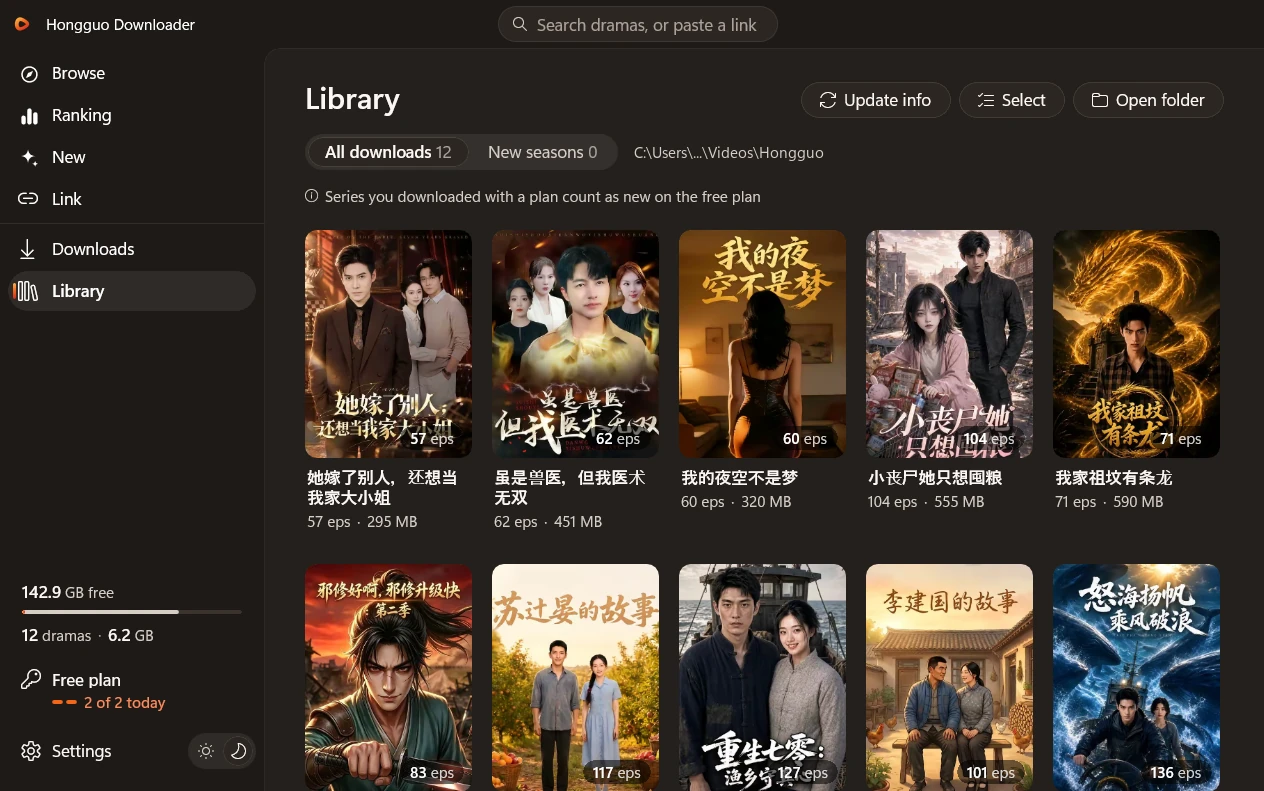
Play and Open folder on every cover. Episodes play from your PC with no internet, and the new seasons of your dramas wait in their own tab. Select several to delete them at once: they go to the Recycle Bin.

A network drive has no Recycle Bin, so the app asks first.

Your plan, one click away

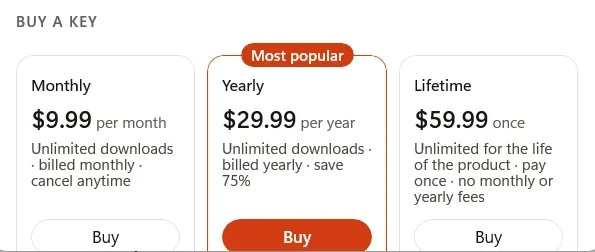
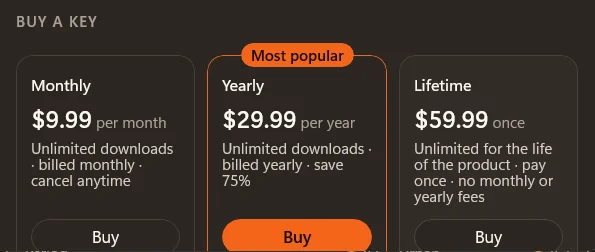
Buy Monthly, Yearly or Lifetime right in the app, by card, PayPal, Google Pay or crypto. Your new key goes in by itself. Your plan sits in the left panel, one click from Account.

Light, dark and NAS-ready

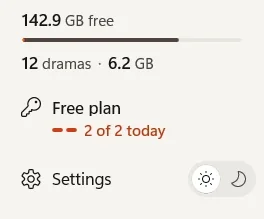
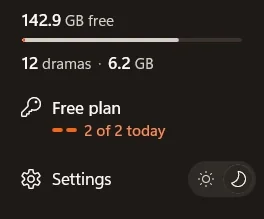
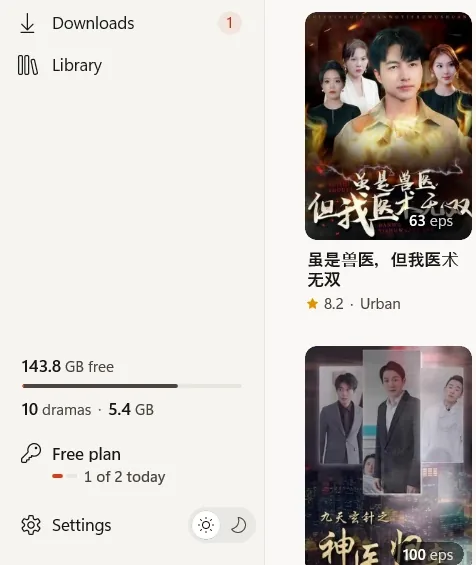
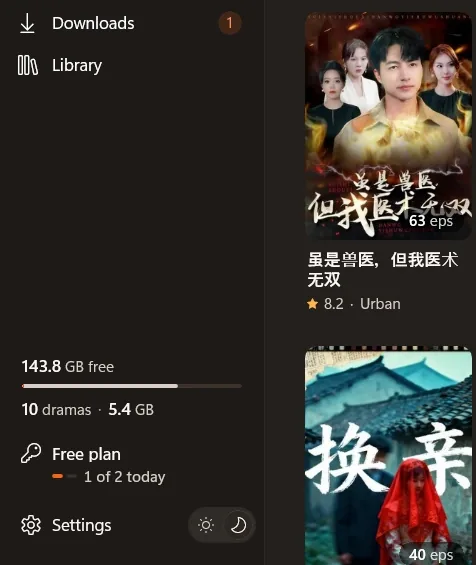
Light and dark that follow your Windows theme. A storage panel with your free space, how many dramas you have and the space they take. Saving to a network drive (NAS) works too.

Three steps to your first series.

  1. Install

    Download Setup and run it on Windows 10 or 11. No admin rights, no account and nothing else to install.

    one-click setup
  2. Find a drama

    Browse, check Ranking or New, or paste a share link. Watch the first 5 episodes of any series free.

    browse · ranking · new · link
  3. Download and watch

    Take the whole series or only the episodes you pick, and click Download. MP4s land in your folder, ready to watch, even offline.

    MP4 · your folder
The free plan in the app: the left panel shows 1 of today’s 2 free series used, beside the Browse page The free plan in the app: the left panel shows 1 of today’s 2 free series used, beside the Browse page
Free plan · $0

Two new series a day, free.

Pick any 2 series today and download every episode to your PC. Tomorrow, pick 2 more.

  • Every episode of both series
  • The first 5 episodes of any series, free to watch in the app
  • A series you started stays free to finish
  • No card, no account. Go unlimited any time.
Download free for Windows

No payment details needed

Each season counts as its own series. The count resets every day at 00:00 UTC, and the app shows when that is where you are. The free plan needs an internet connection.

Simple plans. No surprises.

Start free with 2 new series a day. Go unlimited whenever you like. Buy here or in the app: in the app your key goes in by itself, and bought here it comes by email.

  • Free

    No card needed

    $0

    Two a day, every day

    Download free
    • 2 new series a day
    • Every episode of both
    • The first 5 episodes of every series to watch
    • A series you start stays free to finish
  • Monthly

    $9.99/month

    Month to month

    Get Monthly
    • Unlimited downloads
    • Every episode plays in the app
    • Billed monthly, cancel any time
  • Lifetime

    $59.99once

    Pay once

    Get Lifetime
    • Unlimited downloads for the life of the product
    • Every episode plays in the app
    • No subscription

Every paid plan:

  • Unlimited new series
  • Every episode in the player
  • One key for one PC
  • Move it once every 7 days
  • Pay by card, PayPal, Google Pay or crypto

Every paid plan includes

  • Unlimited new series, every day
  • Every episode, in the built-in player
  • One key for one PC
  • Move it yourself once every 7 days
  • Secure checkout in your browser: card, PayPal, Google Pay or crypto

Not sure yet? Start on the Free plan. Terms · Privacy · Refund policy

Prices in US dollars. One key works on one PC at a time: move it to a new PC yourself from Account, once every 7 days. Monthly and Yearly renew until you cancel. Cancel any time from Account in the app or by email, and your plan runs to the end of the period you paid for. All sales final, no refunds, except where the law requires one. Please try the Free plan first.

What’s new

New in 2.0: rebuilt for Windows 10 and 11.

A new Hongguo Downloader, with a fresh look in light and dark. Here’s what changes for you.

  • Your key comes with you

    Open the new app and your plan is active.

  • Four ways to find a drama

    Browse, Ranking and New, with filters and search, or paste a share link.

  • Every season, every size

    A series window with every season, the sizes each series really comes in, and Play.

  • Faster downloads

    The original 1080p, several series at once, and downloads that keep going when a connection stalls.

  • A Library that plays offline

    Play and Open folder on every cover, the new seasons of your dramas, and Select to delete several at once.

  • A player in the app

    It opens over the app window, and the controls fade while you watch.

  • Buy in the app

    Monthly, Yearly or Lifetime, by card, PayPal, Google Pay or crypto. Your new key goes in by itself.

  • It updates itself

    And Report a bug is one click away in Settings > Help.

Also new: saving to a network drive (NAS) works, the storage panel shows your free space and your Library’s size, and everything is steadier and safer.

Coming from version 1? Install 2.0 and open it: your key comes with you. After 2.0 opens, uninstall the old version.

How it compares

Three ways to keep a short drama. One gives you real files.

Want to keep a 红果 drama? You have three options. Here’s how a downloader compares with screen recording and the download button inside streaming apps.

Point Hongguo Downloader Screen recording In-app downloadinside a streaming app
Real MP4 files in a folder you chooseYesYesNo
Up to 1080p, no on-screen clutterYesDependsDepends
A whole series in one clickYesNoDepends
Faster than watching it playYesNoDepends
Still yours if the show leaves the appYesYesNo
Nothing to sign intoYesYesDepends
CostFree: 2 new series a day. Plans from $9.99FreeOften coins or a subscription

yes depends no

Screen recording is free but slow: one episode at a time, in real time, at whatever your screen shows. In-app downloads stay inside the app and can disappear when the show, or your subscription, does. A downloader saves clean MP4 files you keep, a whole series at a time.

Good questions.

Still stuck? Message @HongguoDownloaderBot or @M4st3r0 on Telegram, or email [email protected].

Is it free?

Yes. The Free plan downloads 2 new series a day, every episode of both, and lets you watch the first 5 episodes of any series in the app. No card and no account needed, and a series you started stays free to finish. For unlimited downloads, pick a plan above.

I have version 1. What do I do?

Close version 1, then install 2.0 on the same PC and open it, signed in to the same Windows account and online. Your key comes with you and your plan is active. After 2.0 opens, uninstall the old version.

Which Windows do I need?

Windows 10 (version 2004 or newer) or Windows 11, 64-bit. Setup is 158.6 MB and needs no administrator rights.

Do I need an account or an Android emulator?

No. There’s nothing to sign into and no emulator to install: Setup brings everything the app needs. Paid plans use a key, not an account.

Where are my files saved?

In your Videos folder (Videos\Hongguo) unless you pick another one, with a folder for each series and every episode as an MP4 file. You can change the folder any time in Settings, and saving to a network drive (NAS) works too.

Can I watch without internet?

Yes. Episodes you’ve downloaded play straight from your PC in the built-in player, with no internet. Browsing, downloading and the free plan need a connection, and a paid plan checks in online at least once every 72 hours.

Windows warns me about an unrecognised app. What do I do?

That’s Windows SmartScreen. It warns about apps that haven’t run on many PCs yet; it isn’t a virus warning. If you downloaded Setup from this site, click More info, then Run anyway.

How do I move my key to a new PC?

One key works on one PC at a time. Install the app on the new PC and enter your key in Account: the app asks “Move your key to this PC?”, and one click moves it. The old PC stops using it at its next check. You can also press Move key on the old PC first. A key can move once every 7 days, and from a new PC up to 4 times a year; after that, email support.

Can I download AI dramas (AI 短剧)?

Yes. In Browse, choose AI drama in the genre filter, or paste a share link. Comic dramas and live-action series work the same way.

How do I get help?

In the app, open Settings > Help > Report a bug. It saves a report (your key and Windows user name stay hidden), copies a short summary and opens our Telegram, ready to send. You can also message @HongguoDownloaderBot on Telegram or email [email protected].

Start with two free series today.

Download 2 new series a day, every episode, and watch the first 5 episodes of any series. No card needed. Go unlimited whenever you want.

Version 2.0.0 · 158.6 MB
Windows 10 and 11 (64-bit)
Free: 2 new series a day · no card needed

The Hongguo Downloader window, showing the Library The Hongguo Downloader window, showing the Library