Changelog
What’s new in Hongguo Downloader.
New versions install from inside the app. Newest release first.
Latest v2.0.0
A new Hongguo Downloader, rebuilt for Windows 10 and 11.
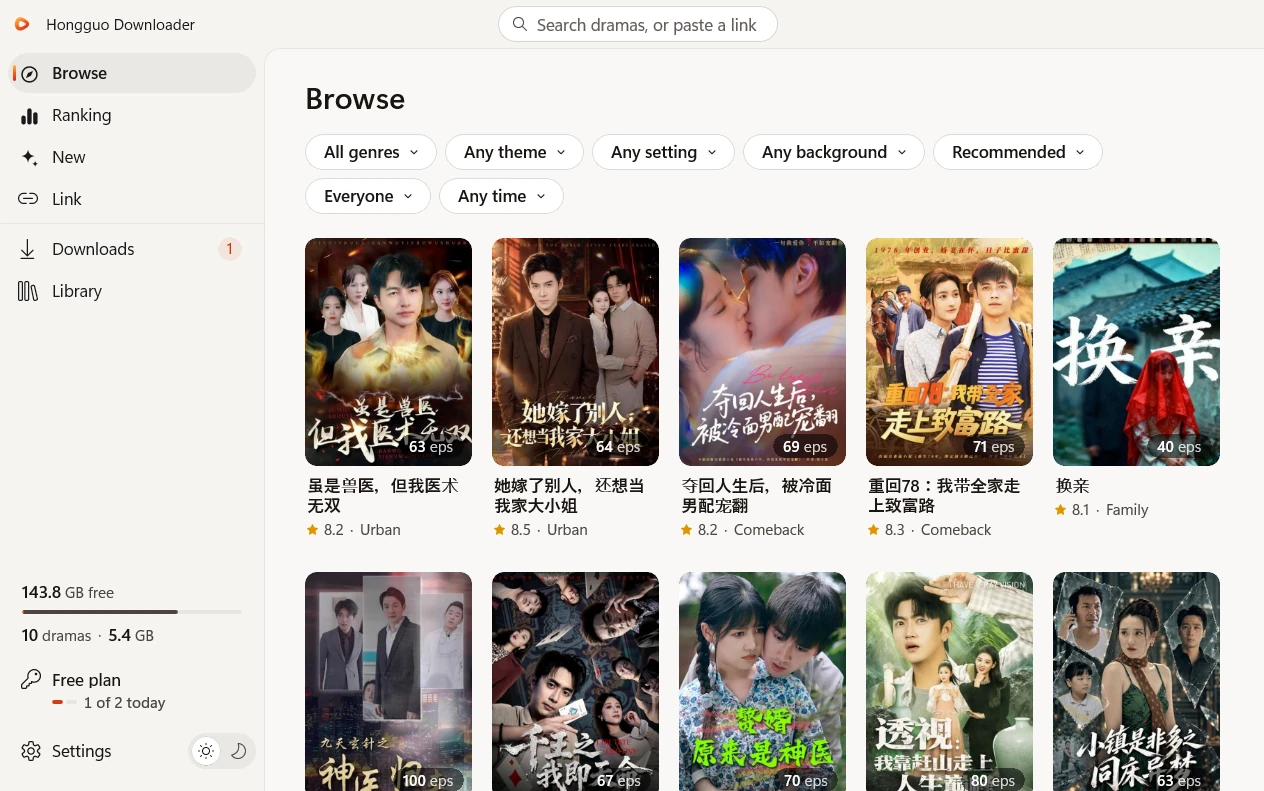
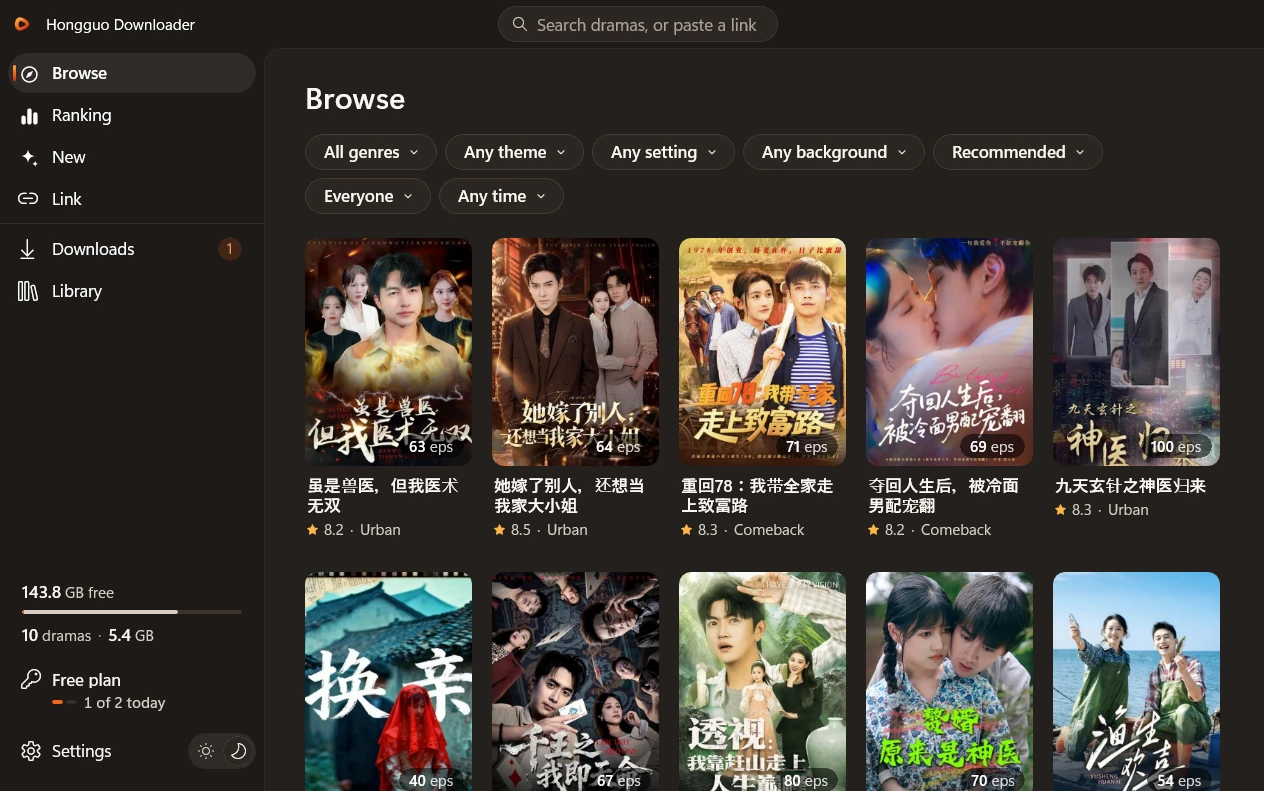
A fresh look in light and dark, four ways to find a drama, much faster downloads, a Library that plays offline and a player built right in. Your key comes with you.
What’s new in 2.0
- Your key comes with you: open the new app and your plan is active.
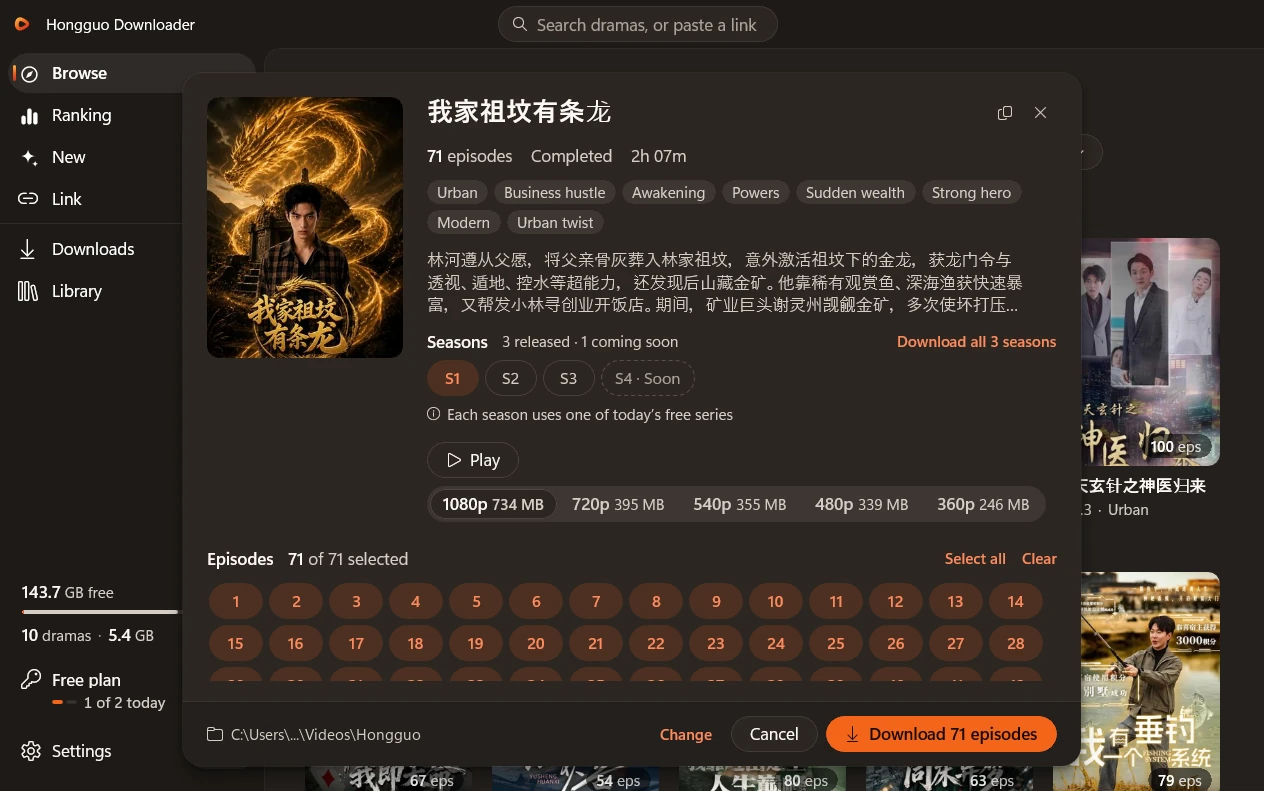
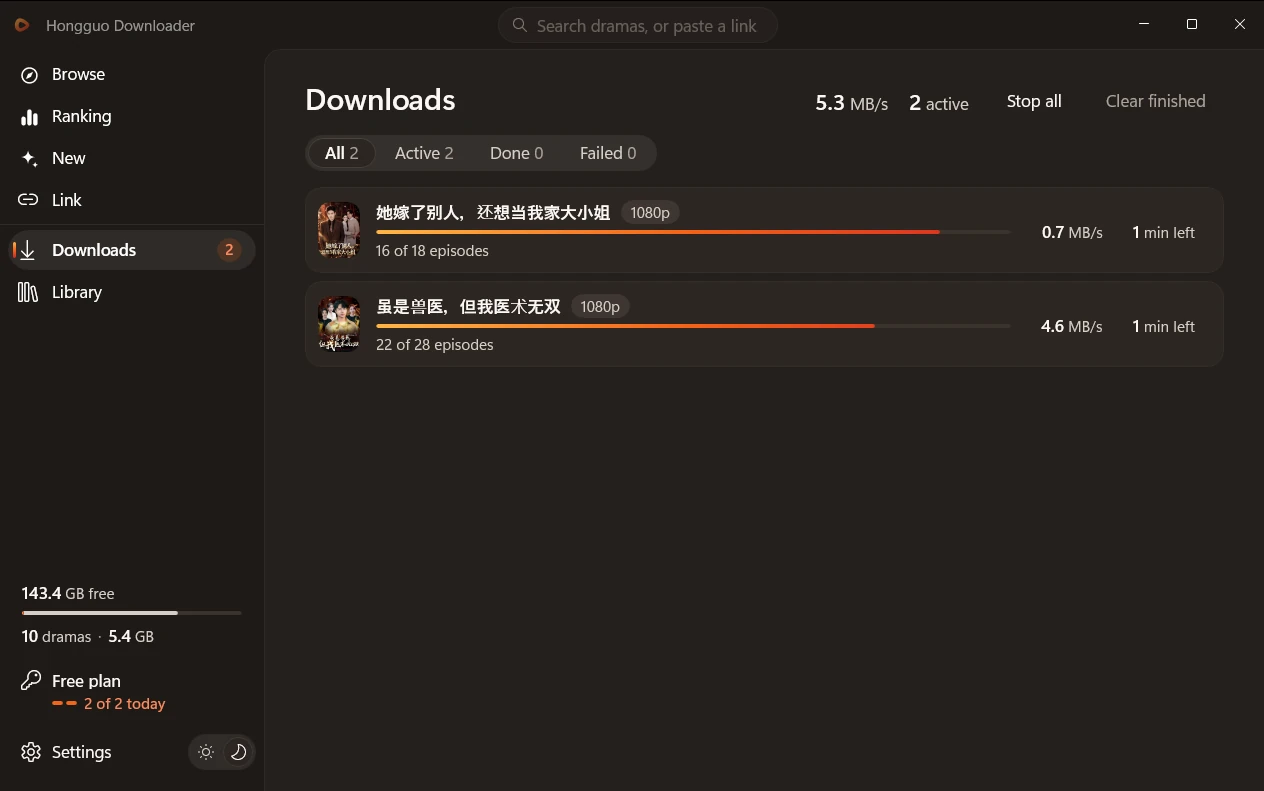
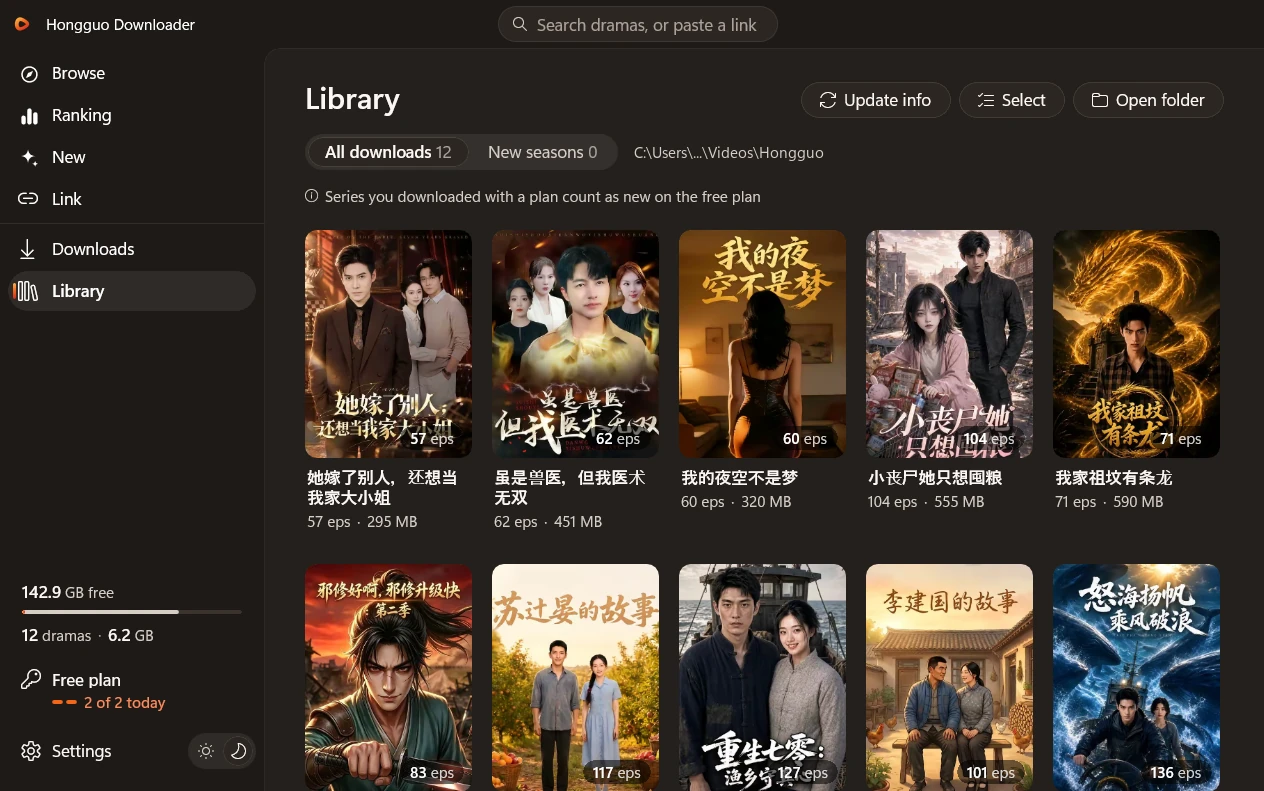
- A fresh look: light and dark, following your Windows theme, with the same clean shapes everywhere.
- Browse, Ranking and New: find dramas with filters and search, or paste a share link.
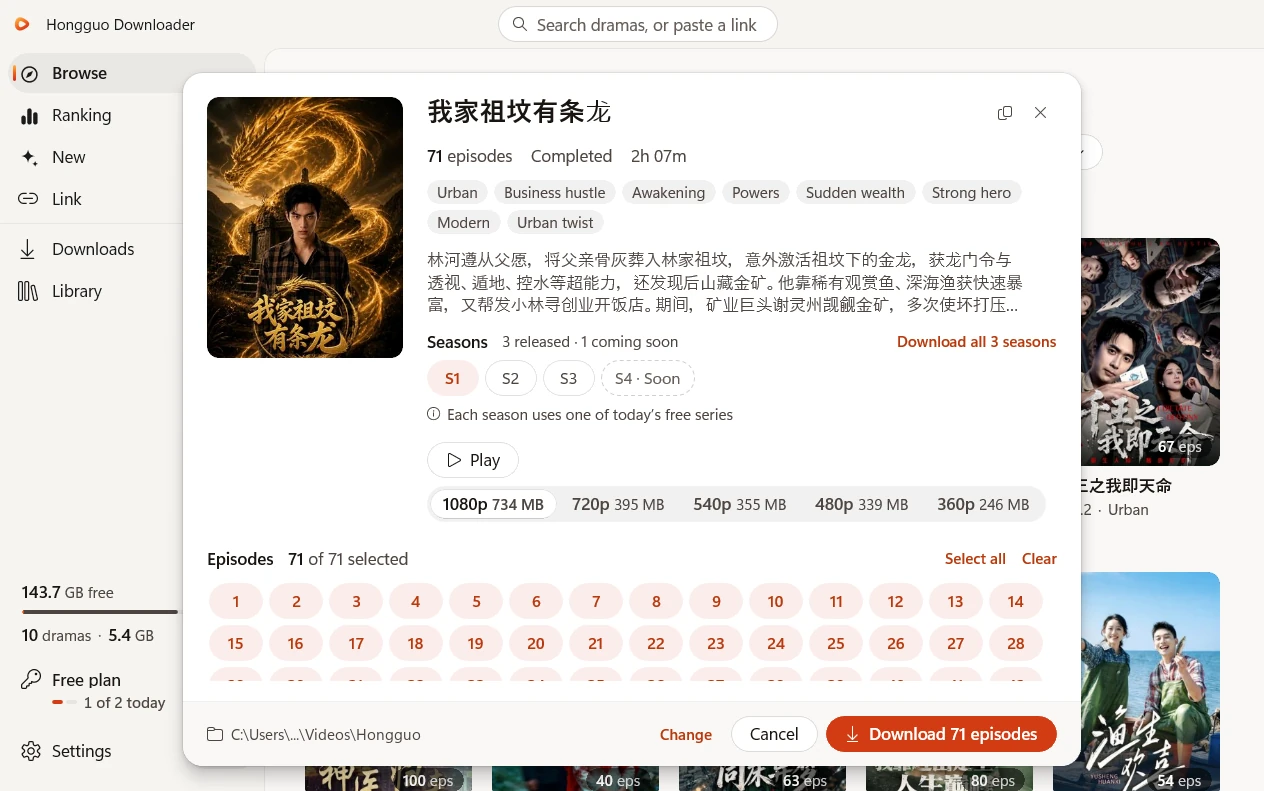
- A series window: every season and the sizes each series really comes in, with Play to watch.
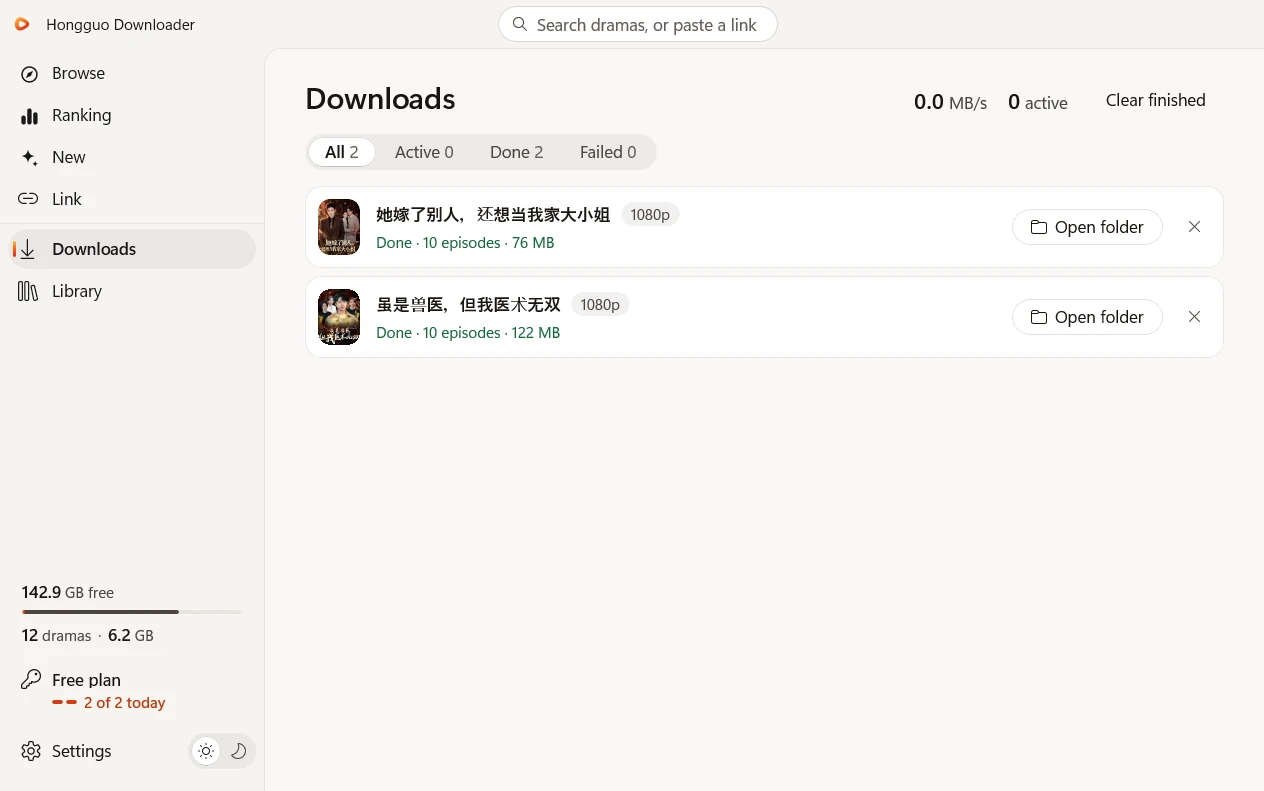
- Downloads in the original 1080p: several series at once, with live progress and speed, and Stop all in one click.
- Much faster downloads that keep going when a connection stalls.
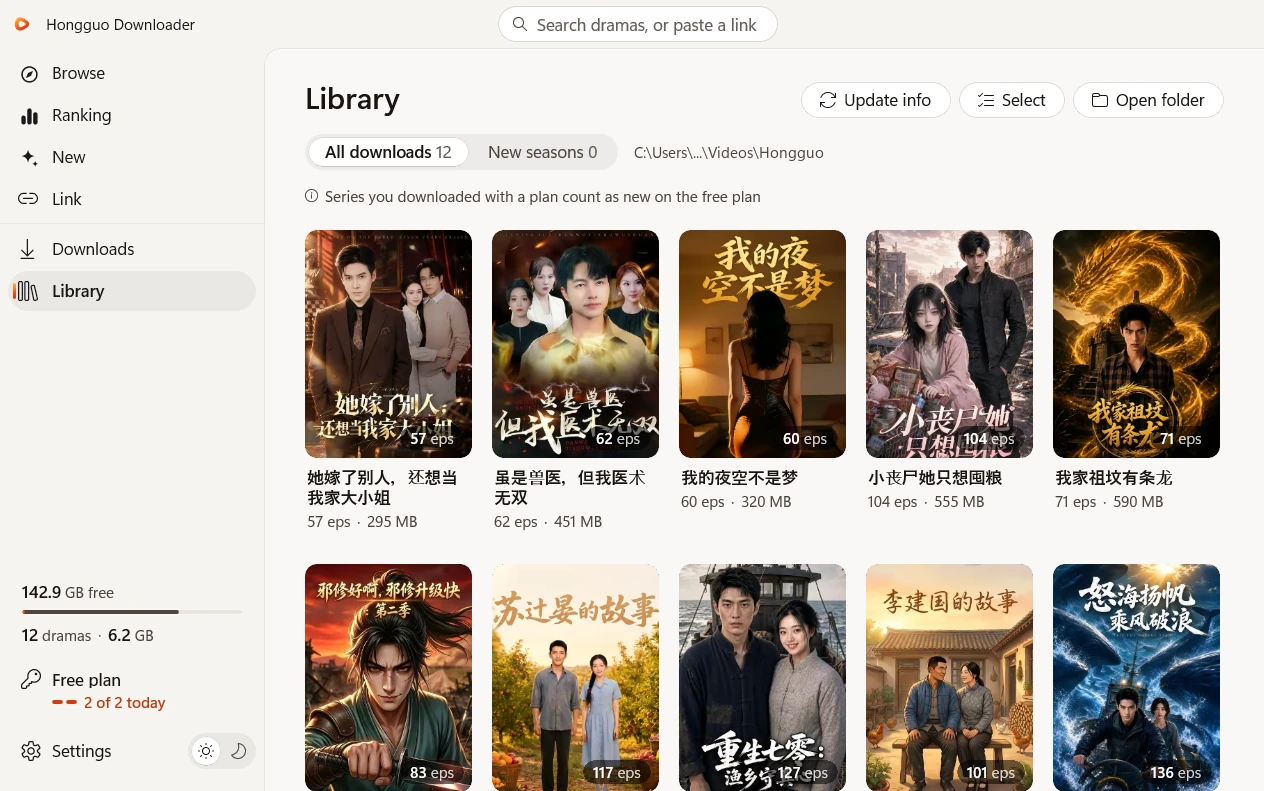
- Your Library: Play and Open folder on every cover, episodes that play straight from your PC with no internet, the new seasons of your dramas, and Select to delete several at once (they go to the Recycle Bin).
- The storage panel shows your free space, how many dramas you have and how much space they take.
- A built-in player right in the app: it opens over the whole app window with the episode as big as the window allows, the controls fade while you watch, and every episode plays with no extra add-ons.
- Try it free: download 2 new series a day, and watch the first 5 episodes of every series.
- Buy in the app: Monthly, Yearly or Lifetime, by card, PayPal, Google Pay or crypto. Your new key goes in by itself.
- Your plan in the left panel, one click from Account: manage your subscription, or move your key to a new PC.
- Save to a network drive (NAS), with the drive’s own free space.
- Report a bug from Settings > Help in one click.
- It updates itself.
- Steadier and safer everywhere.
Coming from version 1?
Install 2.0 and open it: your key comes with you. After 2.0 opens, uninstall the old version.
A look at 2.0


Every release
Version 2
-
v2.0.0 Latest
A new Hongguo Downloader, rebuilt for Windows 10 and 11.
Browse, Ranking, New and Link; a series window with every season; much faster downloads in the original 1080p; a Library that plays offline; a built-in player; buying in the app. Your key comes with you.
Version 1
-
v1.0.0.85
Downloads work again.
Fixed: if the app said “the download server is busy” and nothing downloaded, this update gets your downloads going again. Recommended for everyone — update from inside the app; your license and library carry over.
All changes in v1.0.0.85
- Downloads fixed — no more “the download server is busy” with nothing downloading
- One-click update — click “Update available” in the app
-
v1.0.0.77
Downloads work again, even when they showed “the download server is busy.”
Fixed: if your downloads ever stopped with “the download server is busy,” they now start and finish normally. The app is also steadier at startup, so downloads keep working reliably.
All changes in v1.0.0.77
- Downloads fixed — no more getting stuck on “the download server is busy”
- Steadier startup — downloads keep working reliably
- Security and stability improvements
-
v1.0.0.76
Downloads are back — and they recover on their own.
Downloads work again — pick any drama and every episode downloads and plays to the end. A temporary interruption no longer needs a restart: downloads pick up again by themselves.
About speed: download speed depends on the video source and may be slower than usual right now — every episode still finishes. For the fastest downloads, set Series at once × Episodes at once to 16 (for example 1 series × 16 episodes).
All changes in v1.0.0.76
- Downloads fixed — downloads work again for all series
- Recovers on its own — a temporary interruption no longer needs a restart
- Better handling of busy servers and network problems
- Security and stability improvements
-
v1.0.0.73
Downloads and the preview are back.
Two fixes you’ll feel right away. Downloads now complete correctly for all series — every episode resolves and downloads as it should. And the free 3-episode preview plays again.
All changes in v1.0.0.73
- Downloads fixed — downloads now complete correctly for all series; every episode resolves and downloads as it should
- Preview fixed — the free 3-episode preview plays again
-
v1.0.0.72
New seasons, found for you.
Update all now finds new seasons of the dramas in your Library and downloads them into their own folders. Search shows every season of a drama in one row, with Add all. Choose Quality, how many dramas download at once and how many episodes of each right on the download bar — and watch downloads start faster, with live speed for every drama.
All changes in v1.0.0.72
- New seasons, found for you — Update all finds new seasons of the dramas in your Library and downloads them into their own folders (for a very large batch it asks first); older seasons are suggested, with Add or Not now
- Every season in search — all seasons of a drama in one row, with Add all, plus More results
- Download settings on the download bar — Quality, how many dramas download at once and how many episodes of each; Update all uses the same settings, and they are remembered
- Faster downloads — downloads start right away, and slow episodes are fetched in parallel pieces
- Live speed — see the download speed and progress of every drama as it downloads
- 红果漫剧 links — paste share links from the 红果漫剧 app, just like 红果 links; pasted links always add exactly the drama they point to
- Backup source — if the main server is busy, search and Library checks keep working, and downloads pause and resume by themselves
- Smarter folders — downloading a drama you already have tops up its existing folder, and dramas with the same title keep separate folders
- Preview fixed — Preview plays again and recovers if an episode stalls; covers load more reliably
- Security improvements and reliability fixes
-
v1.0.0.71
A cleaner, rounder look.
Every button, tab, chip and menu now shares one smooth, rounded style, in light and dark. Flip between day and night with the new day/night switch, find Update all · Quality · Speed · Series together in one control, and watch Open folder and Set folder open right in front of the app.
All changes in v1.0.0.71
- Refreshed design — one smooth, rounded style everywhere, in light and dark
- Day/night switch — flip between light and dark in one tap
- One control — Update all · Quality · Speed · Series together, in the Library and on the download bar
- Folders in front — Open folder and Set folder open right in front of the app, with the modern Windows folder picker
- Chinese folder names — folders with Chinese or accented names now work with Set folder
- Clean close — closing the app now closes it completely
- Security improvements and reliability fixes
-
v1.0.0.70
Preview any drama before you download it.
Not sure a drama is for you? Tap the ▶ play button on any cover — in search, the leaderboard or the Catalogue — and episodes 1–3 play right inside the app, with no download needed. Hop between Ep 1 / 2 / 3, then add the whole series to your downloads in one tap. This release also brings one-click in-app updates and a security upgrade under the hood.
All changes in v1.0.0.70
- ▶ Preview — tap play on any cover to watch episodes 1–3 in the app, no download needed
- Ep 1 / 2 / 3 tabs — hop between the free episodes; each one rolls straight into the next
- Add from the player — queue the whole series right from the preview
- One-click updates — from this version on, new releases download and install in-app (no more “failed to verify”)
- Security improvements
-
v1.0.0.67
Smoother, cleaner — the most reliable version yet.
Two big fixes you’ll feel right away. Big library updates now run start to finish without freezing, even across hundreds of episodes — and if anything ever hiccups, the app quietly restarts it in the background and keeps going. And every episode now downloads clean and playable on any player, so you’ll never get a “won’t open” file again.
All changes in v1.0.0.67
- Reliable library updates — check hundreds of episodes at once, start to finish, no freezing
- Every download plays — clean, watchable files on Windows, your phone, any player
- Self-healing — the app recovers on its own if anything ever stalls, so downloads keep going
- Plus everything you love — the live 红果 leaderboard, 40,000+ Catalogue, Convert to H.264, Merge & Update all
-
v1.0.0.54
Watch, merge & manage your whole library — right in the app.
The biggest Library update yet. A brand-new built-in player plays your downloads back-to-back with auto-play, resume where you left off, and seamless episode jumps — plus playback speed, picture-in-picture and ←/→ keyboard shortcuts. Merge a whole series into one chaptered MP4 in full 1080p, and manage everything with multi-select bulk actions.
All changes in v1.0.0.54
- Built-in player — auto-play next, resume where you left off, seamless episode jumps
- Playback speed, Picture-in-Picture & keyboard shortcuts (← previous · → next)
- Merge a series into one file — a single MP4 with a chapter per episode, full 1080p, no quality loss
- Select mode & bulk actions — Play, Merge, Update, Mark seen or Delete many series at once (with Undo)
- Every series shows its size on disk, and Open folder now pops to the front
-
v1.0.0.48
Home rebuilt around the live 红果 leaderboard (switchable All / Live-action / Animated / AI) beside a 40,000+ drama Catalogue; removed the Recommended / Hot / New clutter; fully responsive, quieter and faster interface.
-
v1.0.0.42
Added a full in-app Catalog of 20,000+ verified dramas (genre tabs, search, sort & status filter), an instant Library with accurate on-disk progress, instant notices for shows taken offline, and faster, more reliable startup & shutdown.
-
v1.0.0.35
A rebuilt Explore tab for paging through the full catalogue, fixed search reliability, and download progress bars that track every episode again.
-
v1.0.0.31
Library rebuilt with a new Update settings bar (quality, speed, how many series at once), live-filling posters, and star ratings on every card; Account panel gained a Display size control (125–200%) and reopening the app now just brings your window back.
-
v1.0.0.23
Added an Update-or-Clean-Install choice that always keeps your license and library, a built-in update checker in the Account panel, and paste-any-link support for hongguoduanju.com and novelquickapp.com. Read the recap →
Get the latest version
Version 2.0.0 · 158.6 MB
Windows 10 and 11 (64-bit)
Free: 2 new series a day · no card needed