
New seasons, found for you — what's new in v1.0.0.72
v1.0.0.72 has Update all find new seasons of dramas already in your Hongguo Downloader Library and download them into their own folders. Search now shows every season of a drama in one row, with Add all. Quality, how many dramas download at once, and how many episodes of each now live right on the download bar and are remembered. Downloads also start faster and show live speed for every drama in progress.
If you follow a long-running drama through several seasons, this release is aimed squarely at you: the app now actively looks for new seasons instead of waiting for you to search for them, and the settings you touch most on every download move to where you're already looking.
What changed in v1.0.0.72
- New seasons, found for you. Update all now finds new seasons of the dramas in your Library and downloads them into their own folders — for a very large batch it asks first. Older seasons you don't have yet are suggested too, each with Add or Not now.
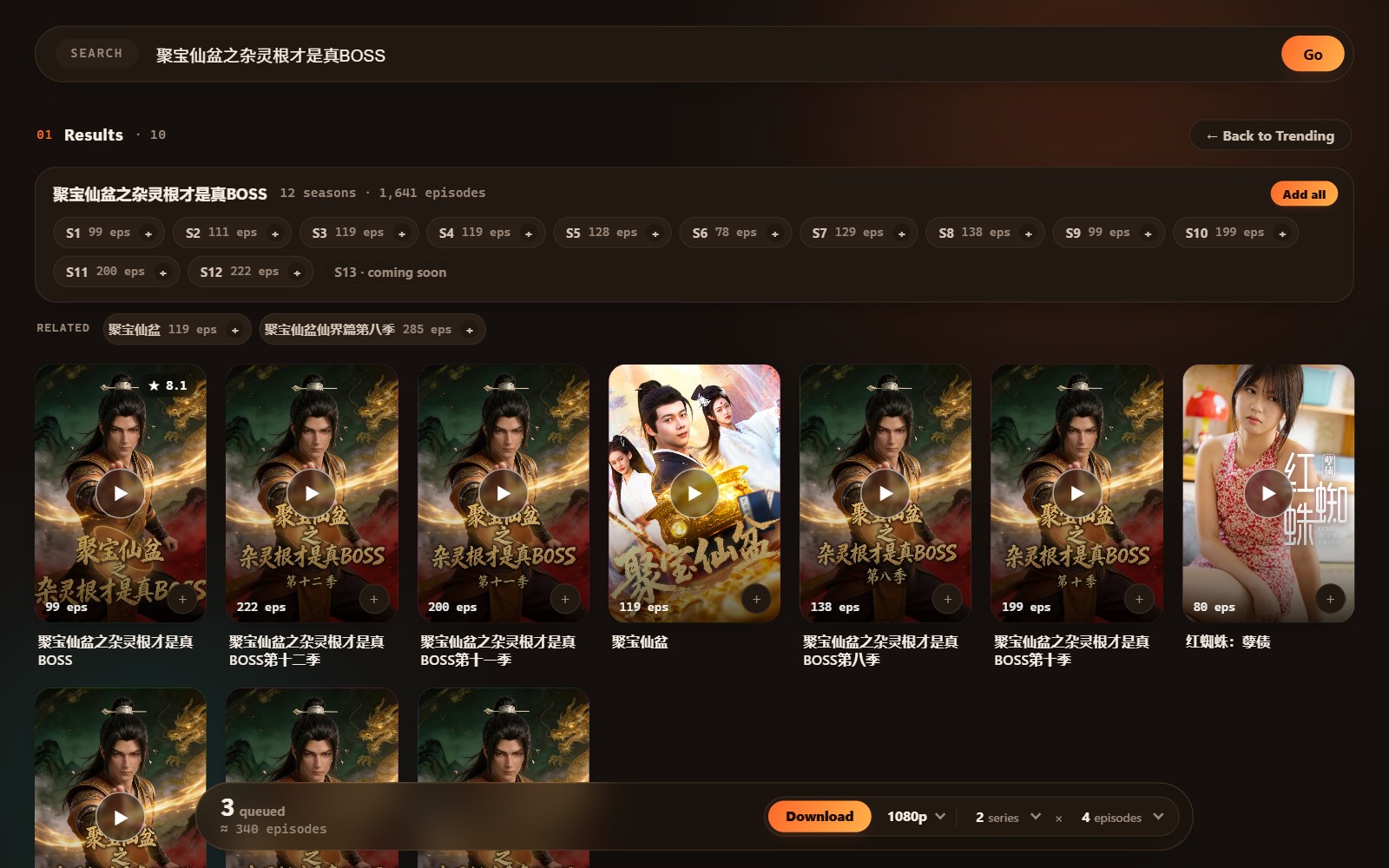
- Every season in search. All seasons of a drama appear together in one row, with an Add all button and a More results link.
- Download settings on the download bar. Quality, how many dramas download at once, and how many episodes of each now sit on the download bar itself. Update all uses the same settings, and they're remembered.
- Faster downloads. Downloads start right away, and slow episodes are fetched in parallel pieces.
- Live speed. See the download speed and progress of every drama as it downloads.
- 红果漫剧 links. Paste share links from the 红果漫剧 app, just like 红果 links — a pasted link always adds exactly the drama it points to.
- Backup source. If the main server is busy, search and Library checks keep working, and downloads pause and resume by themselves.
- Smarter folders. Downloading a drama you already have tops up its existing folder, and dramas that share a title keep separate folders.
- Preview fixed. Preview plays again and recovers if an episode stalls; covers load more reliably.
- Security improvements and reliability fixes.

Update all finds new seasons for you
Before this release, catching up on a new season meant remembering to search for it yourself. In v1.0.0.72, running Update all also checks whether any drama already in your Library has a newer season out, and downloads it straight into its own folder — so it doesn't get mixed in with the season you already have. If updating would mean downloading a very large batch of new seasons in one go, the app asks you first instead of starting automatically. It also surfaces older seasons of dramas in your Library that you haven't downloaded yet, each with a simple Add or Not now choice, so you can catch up on a prequel season without a separate search.
Every season, one search row
Multi-season dramas used to scatter across separate search results, one per season. Now a single search row groups every season of a drama together, with an Add all button to queue the whole run in one tap, and a More results link if there's more beyond what's shown. It's the same search you already know — just organized by drama instead of by individual season.
Quality, series and episodes — right on the download bar
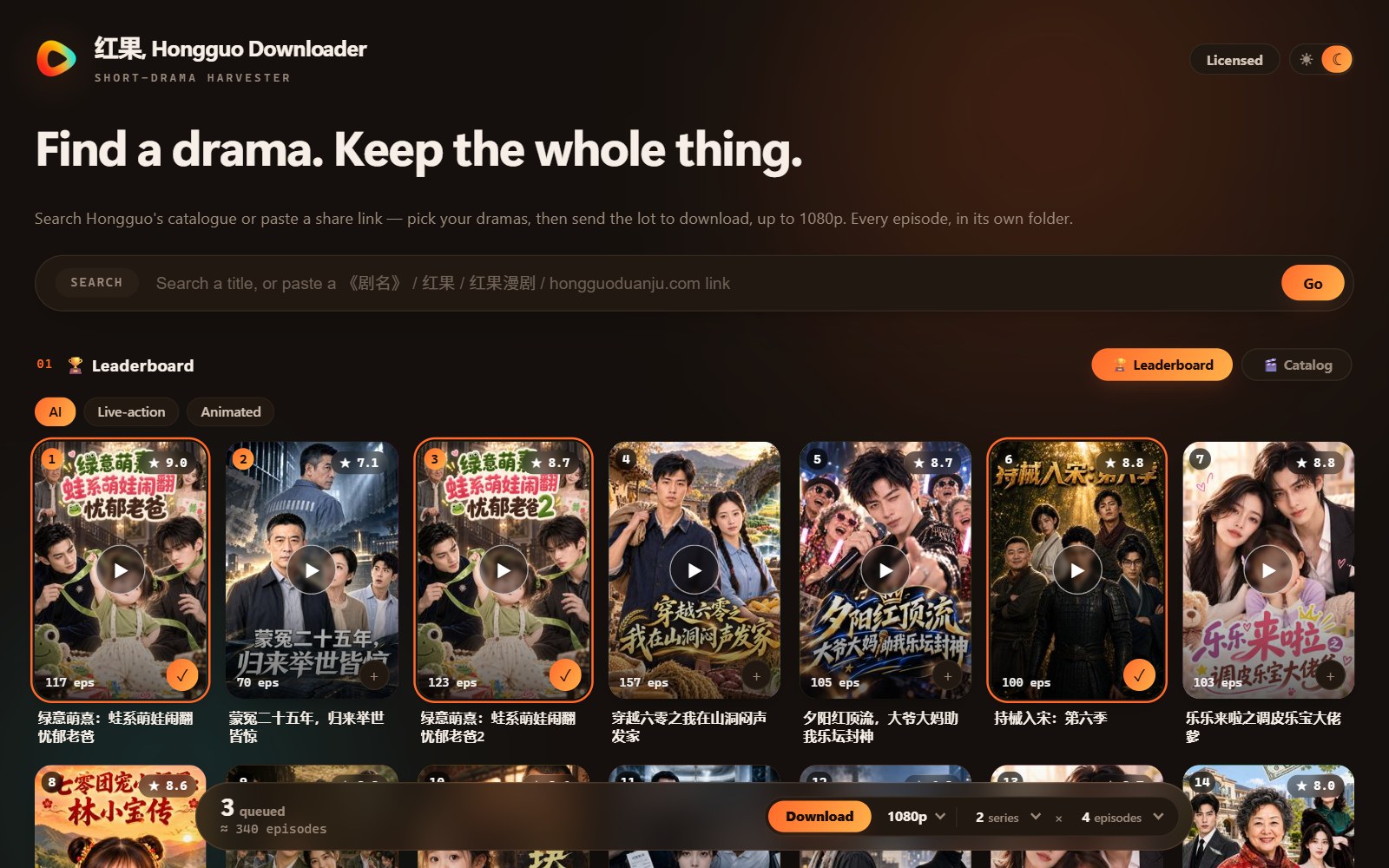
The settings that used to live in a separate menu — Quality, how many dramas download at once, and how many episodes of each — now sit directly on the download bar itself, the same place you queue a download. Change them right where you're already working, and Update all uses those same settings rather than a separate set. Whatever you choose is remembered the next time you open the app.

Faster downloads, with live speed
Downloads now start right away instead of waiting on setup, and episodes that are slow to fetch get pulled in parallel pieces to speed things along. While a download runs, you can see live speed and progress for every drama queued at once, rather than a single overall indicator — useful when you've queued several series and want to see which one is actually moving.
Also in this release
v1.0.0.72 accepts share links from the 红果漫剧 app the same way it already handled 红果 links — a pasted link always adds exactly the drama it points to. If the main server is busy, a backup source keeps search and Library checks working, and any paused downloads resume on their own. Folder handling got smarter too: downloading a drama you already have tops up its existing folder instead of starting a duplicate, and dramas that happen to share a title keep separate folders. The Preview button (added in v1.0.0.70) is fixed — it plays again and recovers if an episode stalls, and covers load more reliably. The release also carries general security and reliability improvements under the hood.
Frequently asked questions
What's new in v1.0.0.72?
Update all finds new seasons of your dramas and downloads them into their own folders; every season of a drama appears in one search row with Add all; Quality, dramas-at-once and episodes-at-once now live on the download bar and are remembered; downloads start faster with live speed; plus 红果漫剧 links, a backup source, smarter folders, a Preview fix and security improvements.
How does Update all find new seasons?
It checks whether dramas already in your Library have a newer season out and downloads any it finds into their own folder, asking first for a very large batch. Older seasons you haven't downloaded are suggested too, with Add or Not now.
What changed about seasons in search results?
Every season of a drama now appears together in one row with an Add all button, instead of scattering across separate results — plus a More results link for anything beyond what's shown.
Where are the Quality and episode-count settings now?
Right on the download bar, alongside how many dramas download at once. Update all uses the same settings, and your choices are remembered.
Will updating affect my downloaded library or license?
No — updates install over your current version and your license and library always carry over.
Catch up on every season
Update to v1.0.0.72 to let Update all find new seasons for you, queue whole seasons in one tap, and watch live speed on every download — your license and library carry over automatically.