From Hongguoduanju to CapCut: How Content Creators Organize and Edit Raw Short Drama Footage
By M4St3r0·Updated 22 August 2026·~6 min read
Chinese short-drama recaps and reaction edits are generating billions of views across TikTok, YouTube Shorts, and Facebook Reels. But for video editors, obtaining clean, uncompressed footage without phone UI icons, subtitles, or watermarks used to be a major headache. Here is how professional creators streamline their editing workflow using Hongguo Downloader.
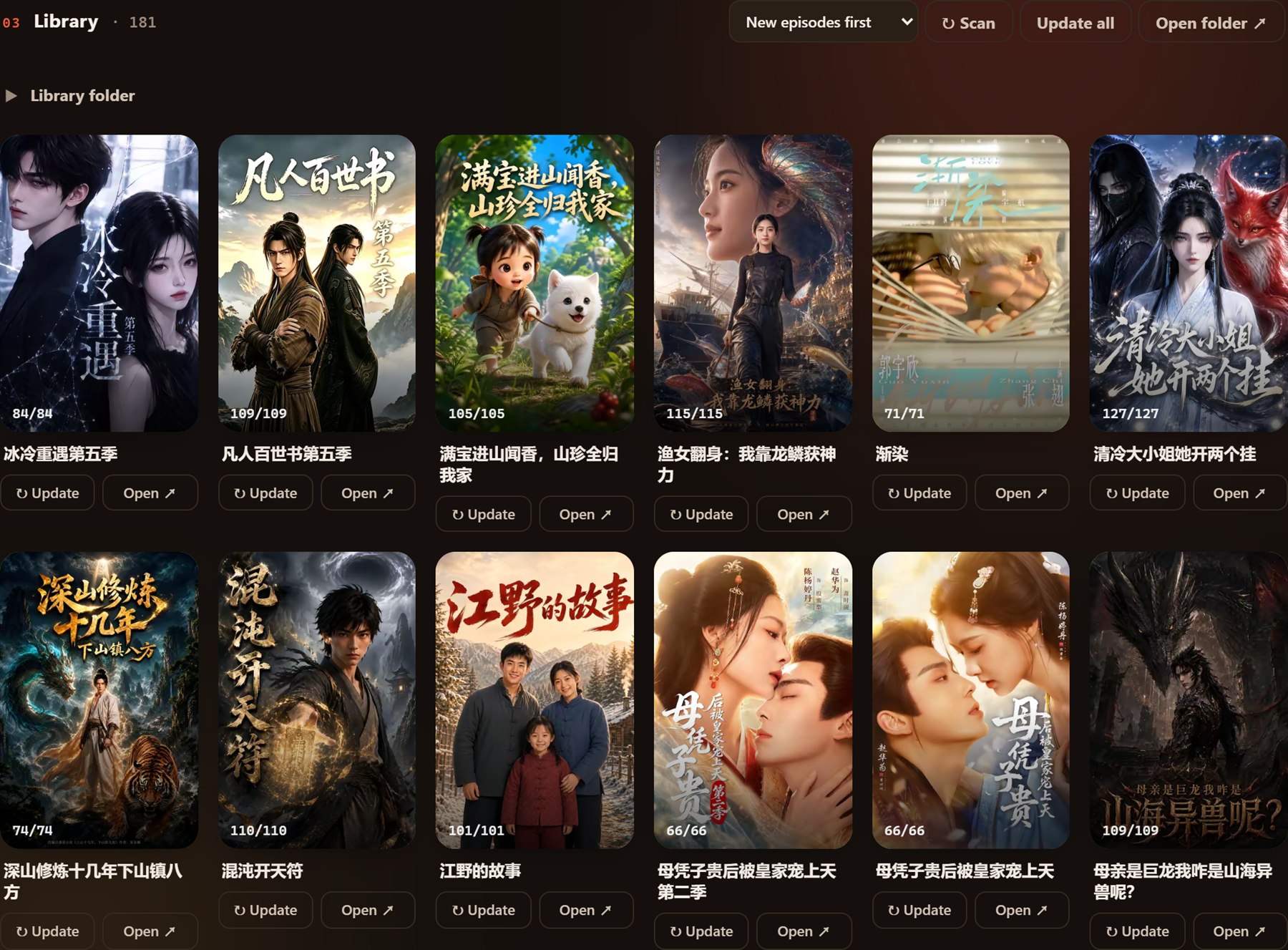
Downloaded series are sorted into individual folders ready to be imported into video editors.
1. Why Screen Recording Hurts Editing Quality
Many novice creators try screen recording dramas on their phones. This causes severe editing bottlenecks:
Variable Framerates (VFR): Screen recordings drop frames dynamically, causing audio desync when dragged into Premiere Pro or DaVinci Resolve.
Cluttered On-Screen Overlays: Like buttons, comment bubbles, and battery meters obstruct the vertical 9:16 frame.
Slow Workflow: Recording an 80-episode drama takes 2+ hours in real time.
2. The Hongguo Downloader Creator Advantage
Using Hongguo Downloader, creators download the original master stream:
Clean 1080p MP4 Files: Direct extraction of the original H.264 video stream with zero on-screen clutter.
Standard CFR (Constant Framerate): Video clips import into CapCut PC, Adobe Premiere, and Final Cut without audio lag.
Automated Naming & Sequencing: Files are neatly indexed (e.g. 第001集.mp4 to 第080集.mp4) so you can batch import them into your timeline in numerical order.
Fast batch queuing saves hours of manual video capture for content creators.
3. 4-Step Editing Pipeline for High-Retention Short Dramas
Step 1: Batch Download: Paste the drama link into Hongguo Downloader and let all 80 episodes download in 3–5 minutes.
Step 2: Batch Import into CapCut PC: Select all files from the drama folder and drag them directly into the CapCut media bin.
Step 3: Auto-Captions & Re-Framing: Use CapCut's AI subtitle generator to create bilingual English/Spanish subtitles, and apply subtle speed ramping (1.05x–1.1x) to maximize viewer retention.
Step 4: Export & Publish: Render your recap in 1080x1920 vertical format for immediate publishing.
Supercharge Your Drama Editing Workflow
Download pristine 1080p short-drama video assets in bulk with Hongguo Downloader.