
What is Hongguo Downloader? A complete walkthrough of every feature
Hongguo Downloader is a free Windows 10/11 app that turns 红果 (Hongguo) short-dramas — including the booming AI short-dramas (AI 短剧) — into offline 1080p MP4 files you keep forever. You find a drama in the live leaderboard or the 40,000+ catalogue (or paste a link), drop it in your queue, pick your settings on the download bar, and the whole series lands in your Library — where you can play, merge, convert, and auto-update it. No account, no card, and 2 whole series a day are free. This page walks through every screen, one at a time.
If you've never opened it before, here's the short version: Hongguo Downloader is one small Windows program (about 88 MB) that does one thing very well — it saves 红果 dramas to your computer as normal video files. No streaming, no watermarks, no phone emulator, no sign-up. Below is the whole app, screen by screen, in the order you'll actually use it. It's an independent tool and isn't affiliated with 红果 / Hongguo.
First, the important part: it's free to use
You don't need to pay or sign up to start. The free tier gives you:
- 2 whole series per day, free — and a "series" means the entire run, however many episodes. A 100-episode drama counts as one of your two free downloads, not 100.
- Full 1080p quality — the free tier isn't a lower-resolution trial; you get the same files as everyone else.
- No account, no card, no login. You install it and it works.
If you download a lot, an unlimited plan removes the daily cap — but most people are fine on free. It runs on Windows 10 and 11, and the installer is about 88 MB.
The search bar — find anything, or paste a link
At the very top of the app is a single search bar. It's the fastest way in, and it does two jobs:


- Search by title. Type a drama's Chinese name (or part of it) and press Go to find it in the catalogue.
- Paste a link. Got a hongguoduanju.com share link from a friend or a forum? Paste it straight in and the whole series resolves and drops into your queue — no searching needed. That's the paste-a-link feature.
Section 1 — the Leaderboard & the Catalogue
The home screen has two tabs, and you switch between them with the toggle in the top-right corner: Leaderboard and Catalogue. Think of it as "what's hot right now" versus "the whole library."
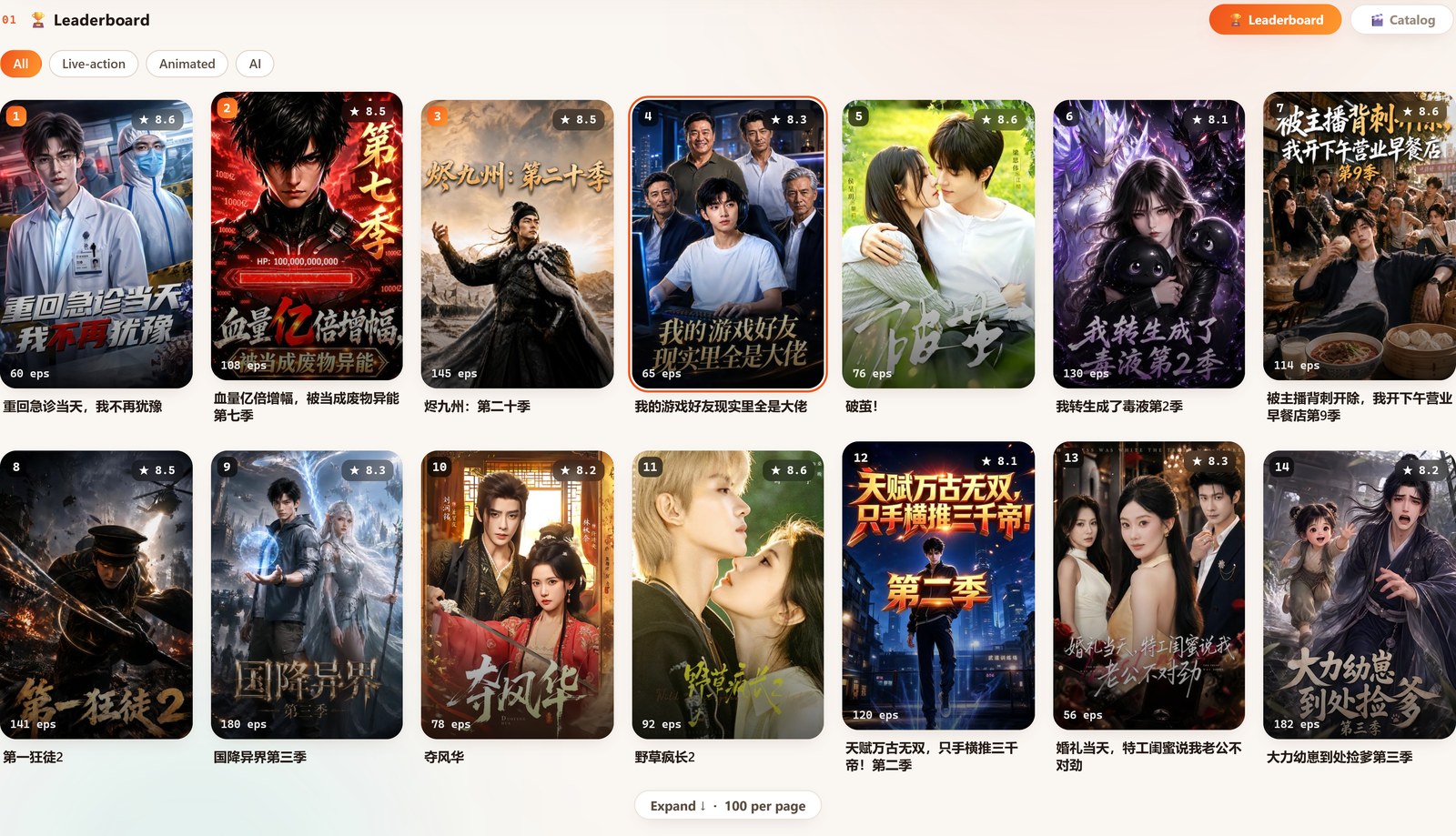
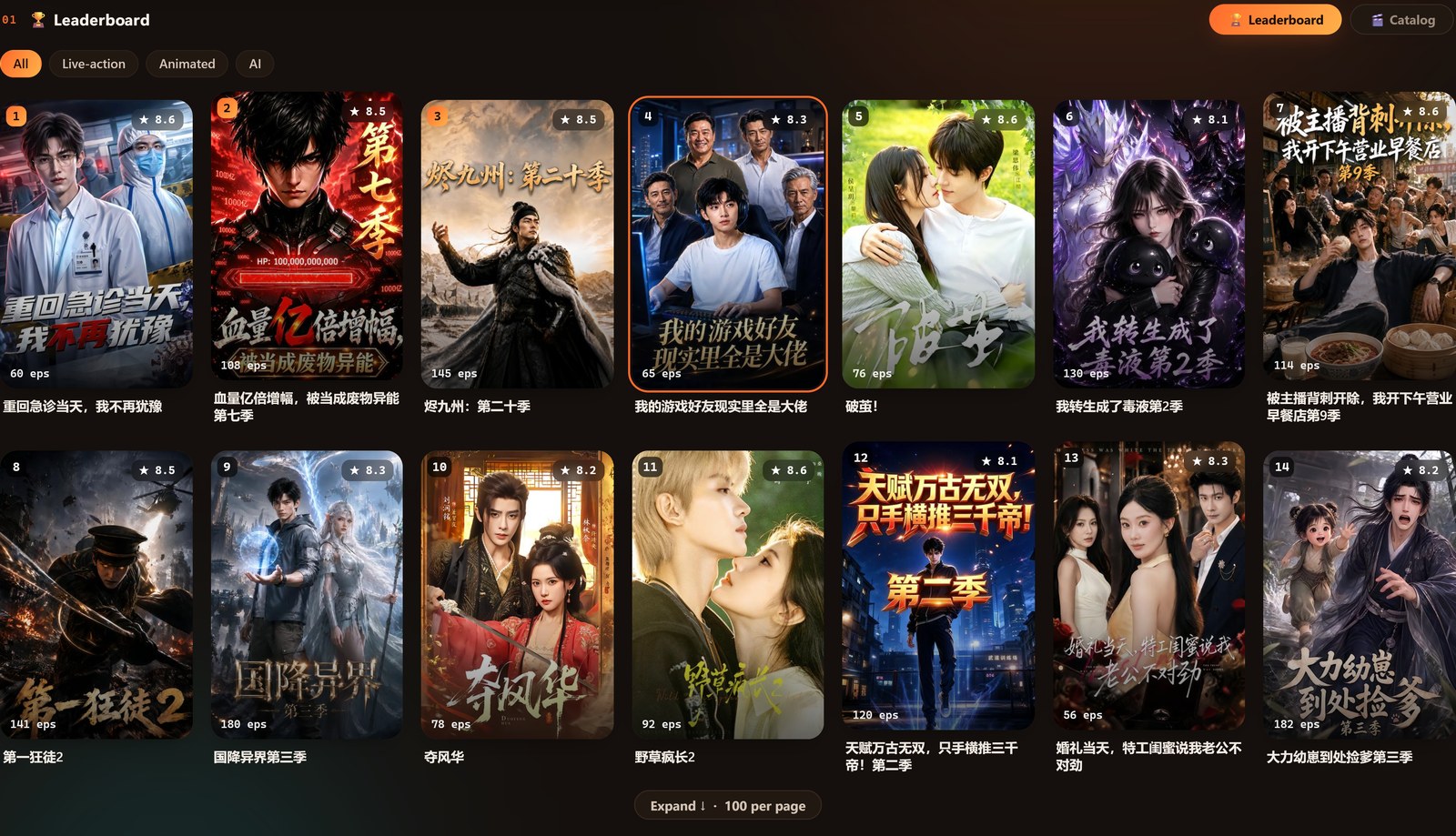
The Leaderboard — what's trending right now
The Leaderboard tab mirrors 红果's own real-time top charts — the platform's actual live rankings, not a guess the app made. You can switch the category with the chips across the top:
- All — the overall top chart.
- Live-action — traditionally filmed short-dramas.
- Animated — animated short-dramas.
- AI — AI-generated short-dramas, tracked as their own category now that they're a genre of their own.
Each entry carries a rank number, a star score, an episode count, and the title, so you can size up a drama before you grab it. It shows the full top 100 per category.
The Catalogue — 40,000+ dramas, searchable
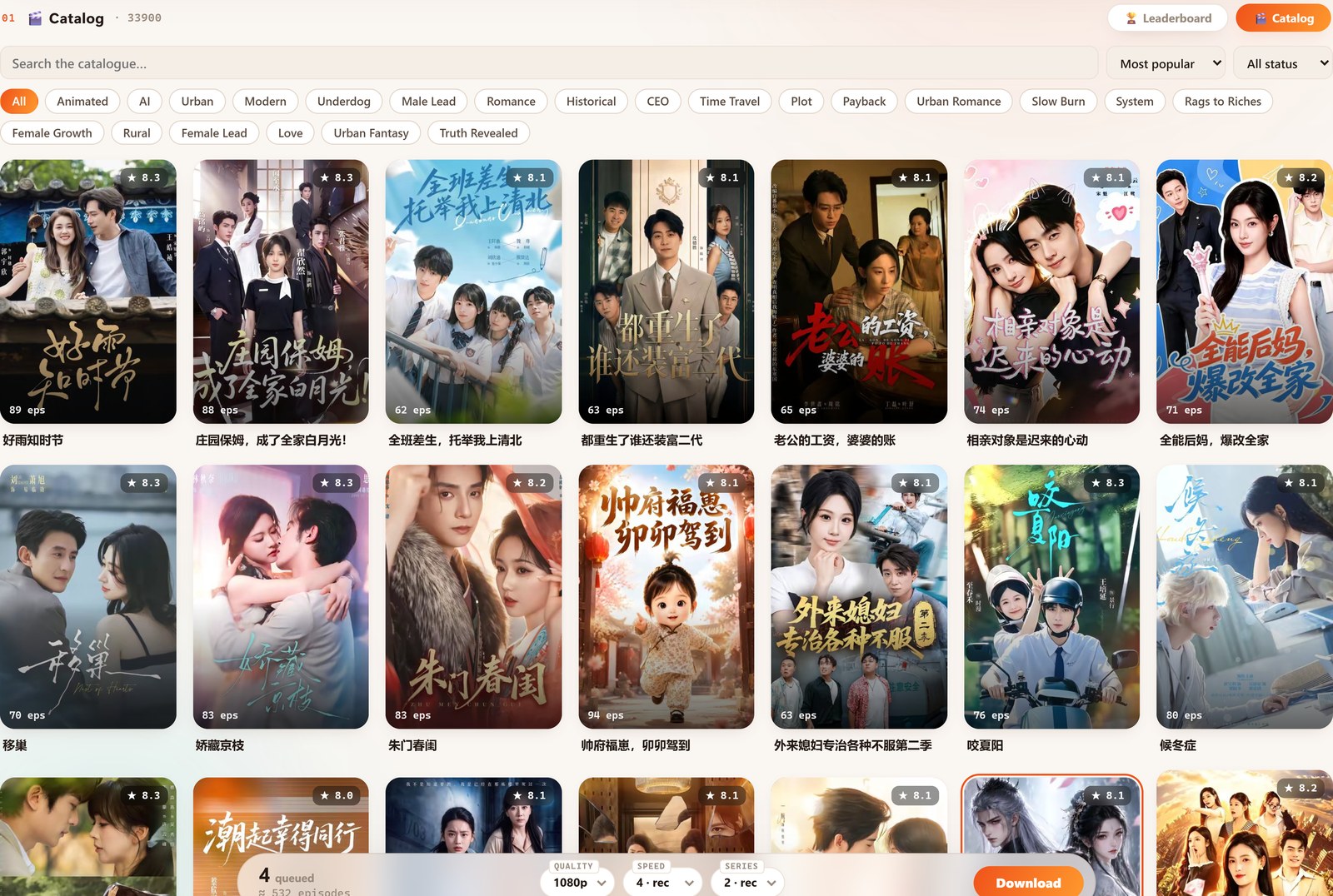
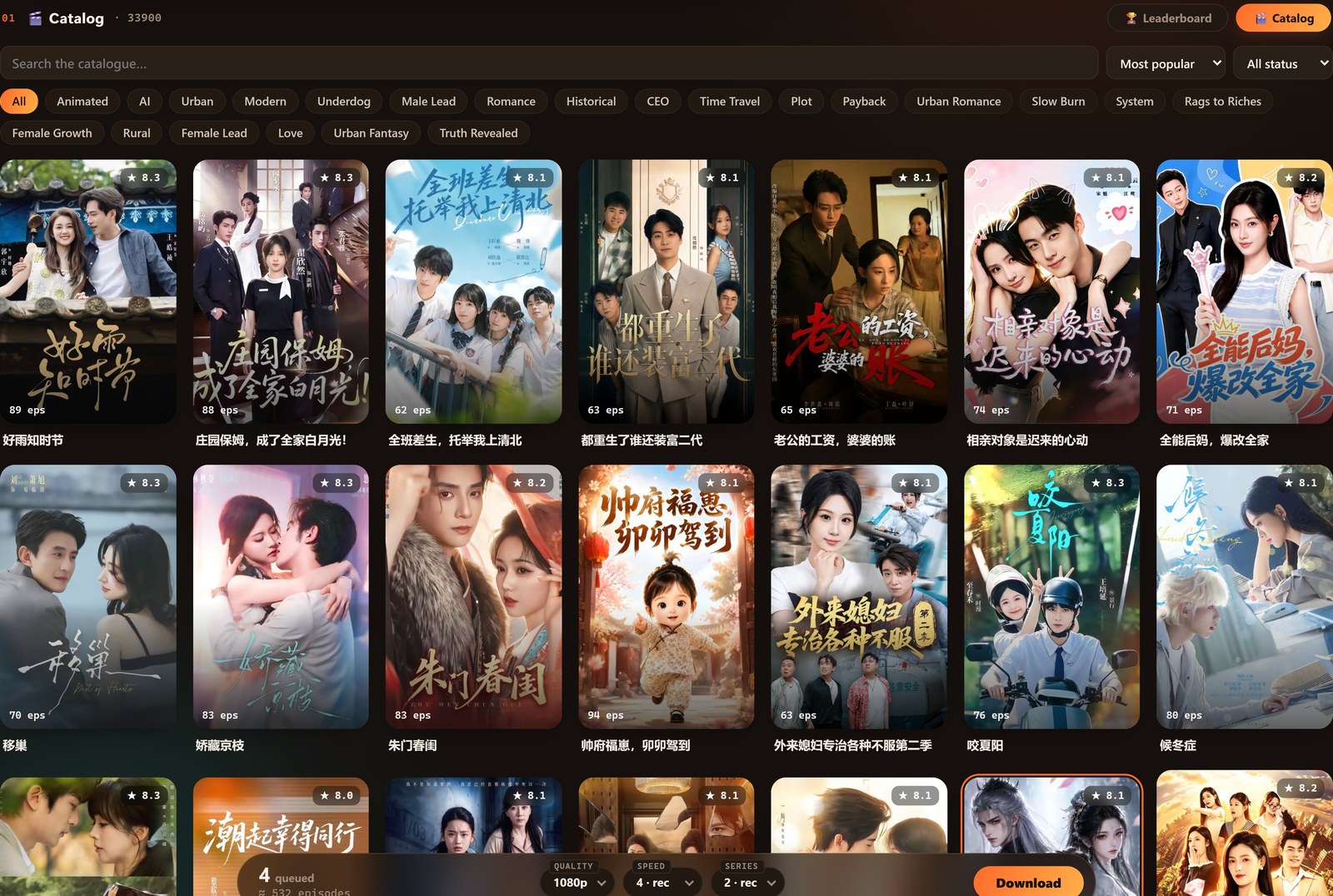
Switch to the Catalogue tab when you already know roughly what you want, or just want to browse the whole library. It holds 40,000+ verified 红果 dramas, and it gives you real tools to narrow them down:
- Genre tabs / chips across the top (Romance, Historical, CEO, Time Travel, Urban, AI, and many more) to filter by category.
- An in-app search box to jump straight to a specific title.
- Sort (e.g. most popular, newest) and a status filter so you can see what's complete versus still airing.
On either tab, tapping a poster doesn't start a download — it drops the drama into your queue, so you can keep browsing and pick everything up in one batch later. Want the deep dive on these two screens? See the Catalogue & Leaderboard guide.
Section 2 — Your queue
The Your queue section (numbered 02 in the app) is your shopping cart. Every poster you tap lands here and waits. Nothing downloads until you say so, which is exactly what you want when you're browsing 40,000 titles and keep spotting "oh, that one too."


For every series in the queue you can:
- See its episode count at a glance.
- Tap Choose episodes to grab the whole run or just a range (say, episodes 1–20, or only the new ones). Full walkthrough: queueing and choosing episode ranges.
- Remove a single title with the ✕, or hit Clear all to empty the queue.
The floating download bar — your settings, always in reach
As soon as your queue has something in it, a floating bar appears and follows you down the page. It's the control panel for the actual download, and it stays one click away no matter how far you've scrolled:


- The running total on the left — how many series are queued and roughly how many episodes that adds up to.
- Quality — set the resolution (1080p is the default and the best the source offers).
- Speed — how hard the app pulls; ease it down if you want to spare your connection.
- Series — how many series download at once (concurrency). More is faster; fewer is gentler on your PC and network.
- Download — the orange button that kicks the whole batch off.
Set it once and it remembers your choice, so most days you just tap Download.
Section 3 — the Library (where everything lives)
Everything you download lands in the Library (section 03). This is the heart of the app, and it's grown into a proper media manager. Each series appears as a poster with its star rating, a size-on-disk readout, a new-episode badge when there's more to grab, and a set of per-series actions.
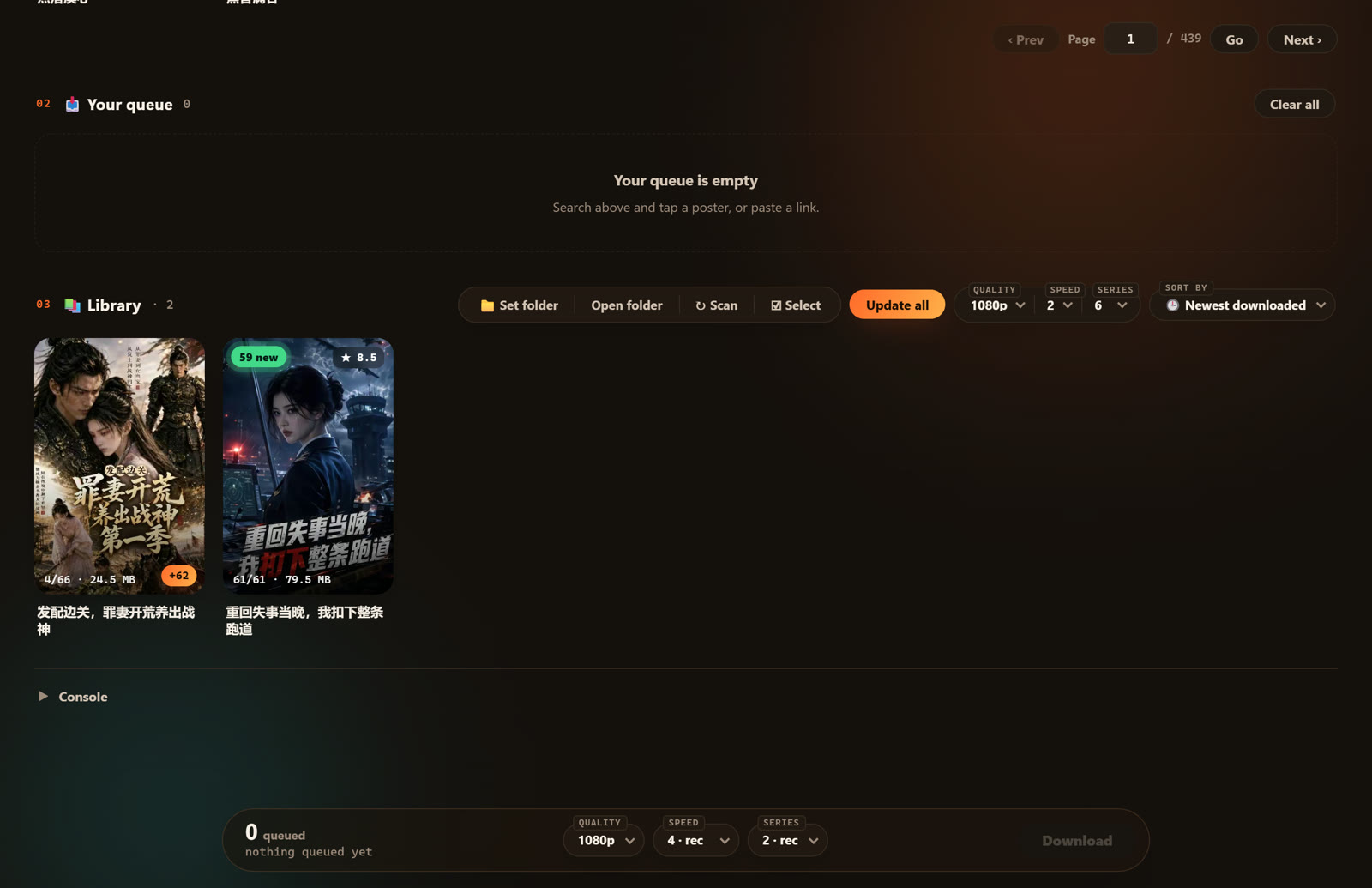
The toolbar across the top of the Library is where most of the power lives:
- Set folder — choose where your videos are saved.
- Open folder — jump straight to those files in Windows Explorer (it now pops to the front instead of hiding behind the app).
- Scan — point the app at a folder of files you already have and it re-adopts them into the Library.
- Update all — check every series for new episodes and grab what's missing in one pass. As of the latest version this runs start to finish without freezing, even across hundreds of episodes, and quietly restarts itself if anything stalls. See updating without losing your library.
- Sort — reorder the shelf (e.g. newest downloaded first).
The built-in player
You don't need a separate media player — Hongguo Downloader has one built in. Click a series and it plays right in the app, with the controls you'd expect and a few you'll be glad of:


- Auto-play the next episode, and resume right where you left off.
- Prev / Next to jump episodes seamlessly, or the ←/→ keys.
- Playback speed and Picture-in-Picture so you can keep watching in a corner while you do other things.
More on it in the built-in player guide.
Select mode, Merge & bulk actions
Tap Select in the Library toolbar and each series gets a checkbox. Tick a few and a bulk-action bar appears, so you can do the same thing to many series at once:
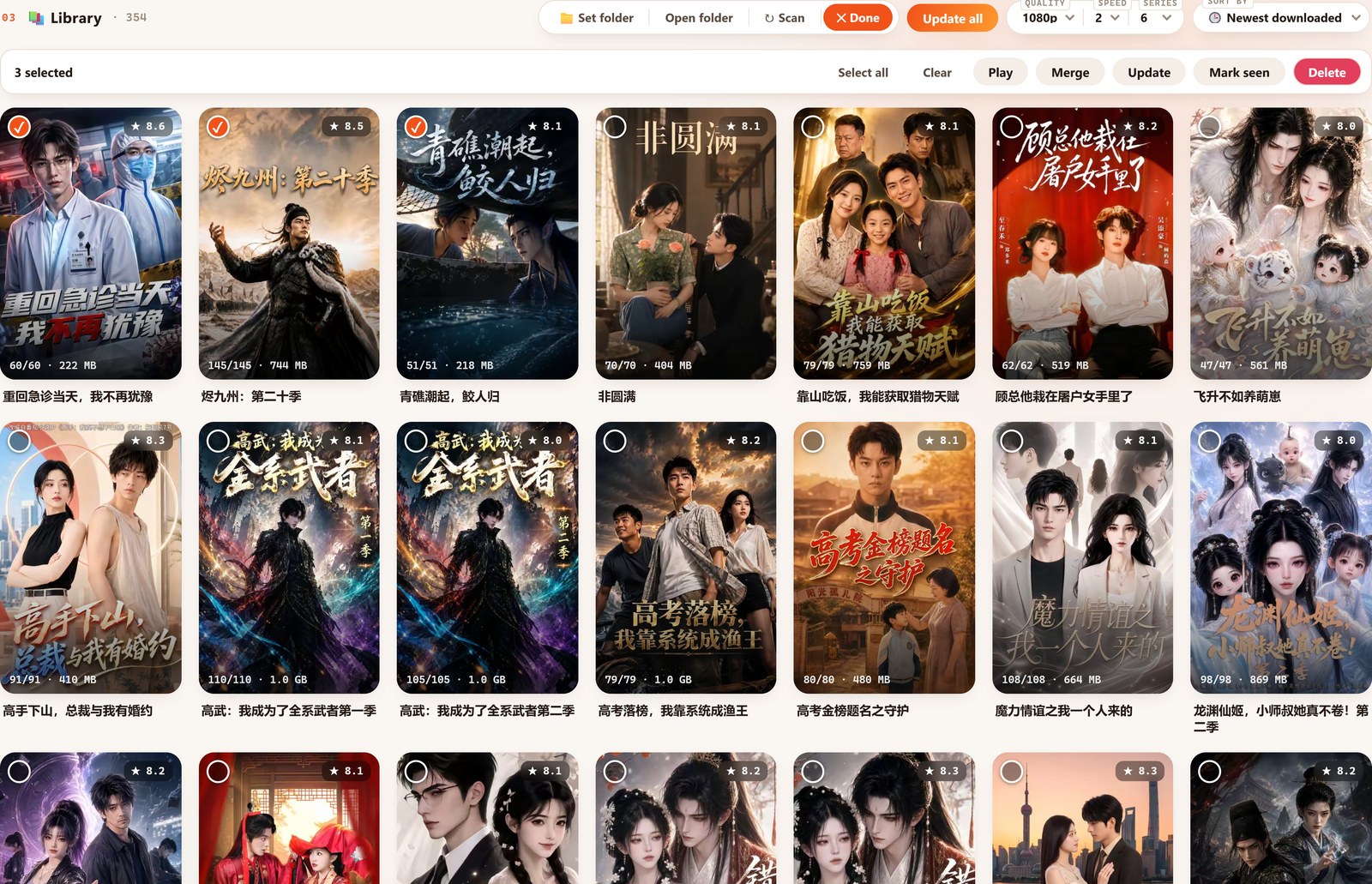
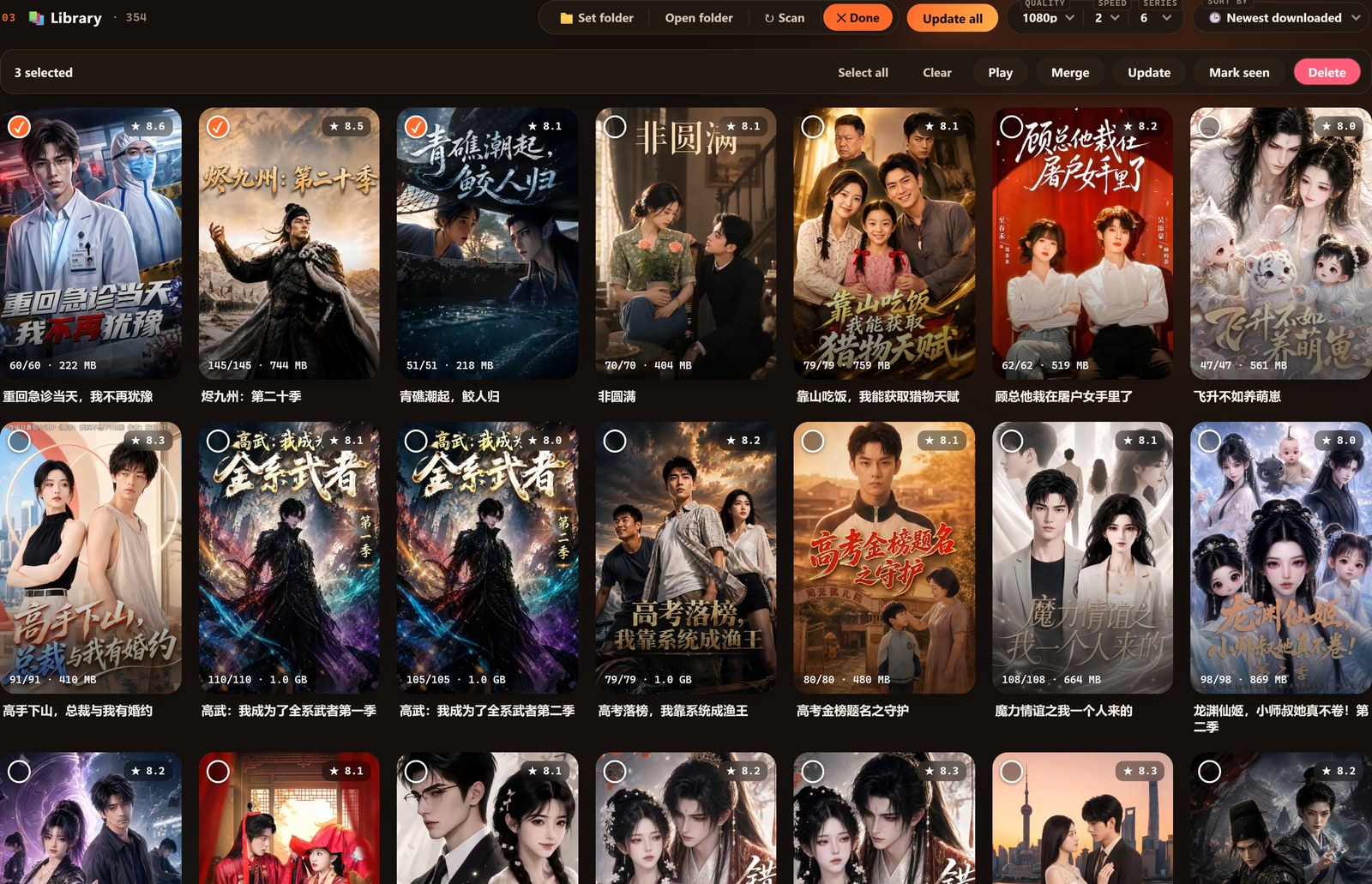
- Merge — the standout. It stitches a whole series into one 1080p MP4 with a chapter per episode, no quality loss, so a 100-file drama becomes a single tidy file. See merging a series into one file.
- Play, Update and Mark seen — run those actions across everything you've ticked.
- Delete — remove several series together. Deletes land in Trash first, with a one-tap Undo, so a wrong click isn't the end of the world.
Convert to H.264
Every download already plays cleanly, but if you want a file that's guaranteed to open on any phone or import into any video editor, use Convert to H.264 — a one-click re-encode into the most universally supported format. It's handy for editors making recap clips, and for older downloads a specific device is fussy about. Details in the Convert to H.264 guide.
When a title gets pulled
Short-dramas occasionally get removed from the source platform. Hongguo Downloader flags those instantly — the moment you try to queue an unavailable title, you get an Unavailable (已下架) toast, instead of finding out after a failed download.
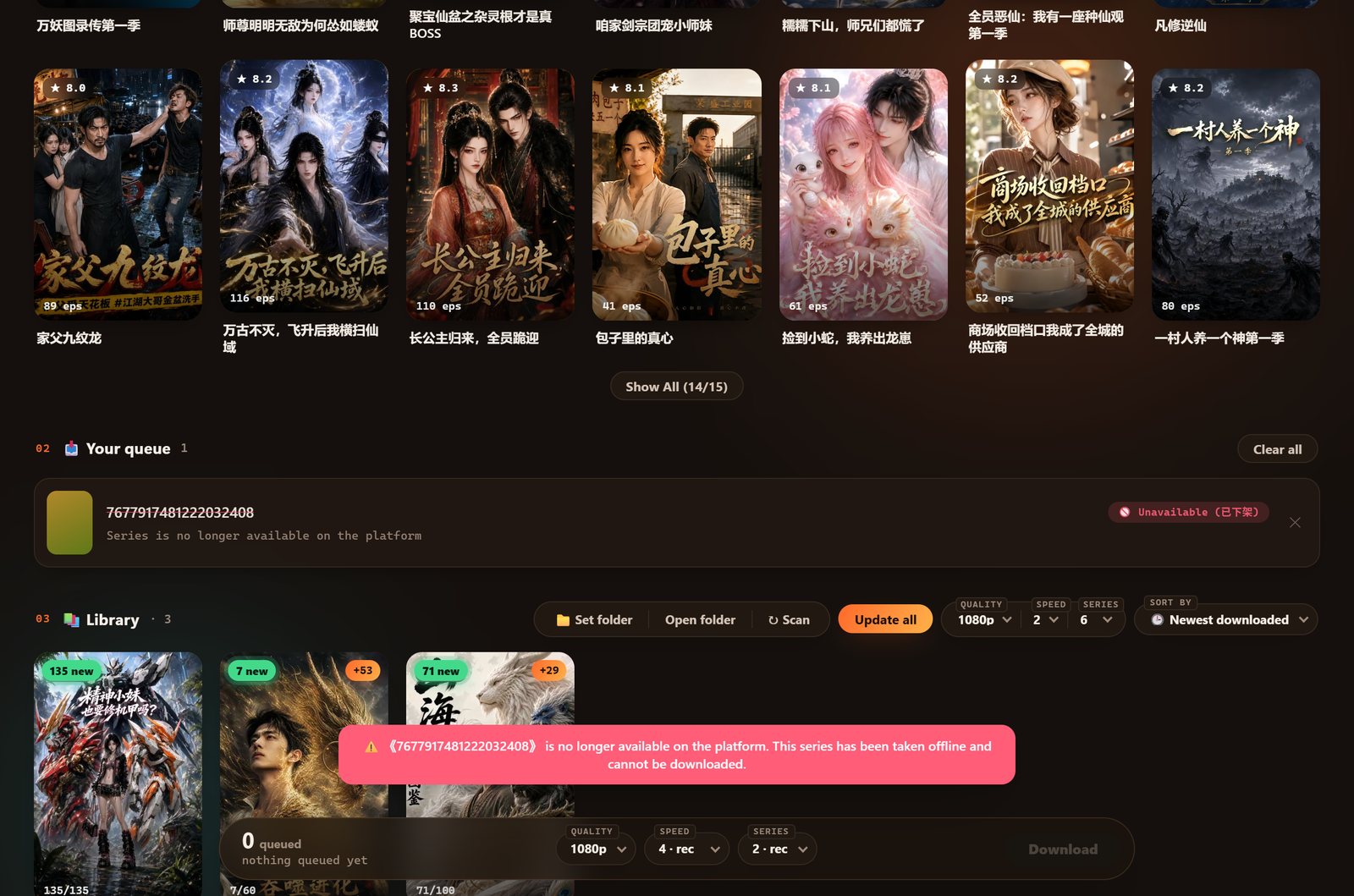
And because your downloads are real files on your own drive, a title disappearing from the platform doesn't touch the copy you already saved — that copy is yours to keep.
Is it safe and legal?
The installer is a normal Windows program — some browsers show a generic "Windows protected your PC" prompt for any new app; here's why and how to proceed. On the legal side, treat downloads the way you'd treat recording a show to watch later: keep them for your own personal, offline use, and don't redistribute them. The full picture is in is Hongguo Downloader safe?.
The whole app, in order
- Search bar — type a title or paste a hongguoduanju.com link.
- Leaderboard / Catalogue — find dramas in the live top 100 or the 40,000+ library.
- Your queue — line titles up and choose episode ranges.
- Download bar — set Quality, Speed and Series, then Download.
- Library — play, update all, merge, convert, and manage everything you've saved.
That's the entire tool. It's free to try today — 2 whole series a day, no account, no card.
Frequently asked questions
What is Hongguo Downloader, in one line?
A free Windows app that saves 红果 (Hongguo) short-dramas and AI dramas as offline 1080p MP4 files you keep.
Is it really free?
Yes — 2 whole series a day at full 1080p, no account and no card. A paid plan lifts the daily limit for unlimited downloads.
How many dramas can I browse?
40,000+ in the searchable Catalogue, plus a live leaderboard of the top 100 trending titles by category (All, Live-action, Animated, AI).
What do the downloads look like?
Standard 1080p MP4 files. You can also merge a series into one chaptered file, or convert to H.264 for maximum compatibility.
Do I need an account or the 红果 app?
No account, no login, no emulator — just one ~88 MB Windows program. It works only with the 红果 oversea catalogue and is not affiliated with 红果.
Try the whole thing yourself
Download Hongguo Downloader for Windows and save your first series free — no account, no card, 2 full series a day.