
Convert any download to H.264 — editor- and phone-ready, in one click
v1.0.0.67 added Convert to Hongguo Downloader's Library, next to Play and Merge. It turns any downloaded episode or series into an H.264 MP4 — the most widely supported video format — so it opens cleanly on a phone, a standalone player, or in editing software, in a single click, without re-downloading anything.
Not every player, phone gallery, or video editor agrees on which video codecs it'll open. A file that plays fine on your PC can still get rejected by a phone's gallery app or refuse to import into an editing timeline. Convert exists to remove that guessing game.
What Convert actually does
- Re-encodes into H.264. Your downloaded episode or series is turned into an MP4 using the H.264 codec — the closest thing to a universal standard for video compatibility.
- One click, one tool. Convert sits in the Library alongside Play and Merge — no separate app, no manual settings to configure.
- Makes files editor-ready. H.264 MP4 is the format most video editors — including the CapCut workflow covered in our recap-clip guide — expect by default.
- Makes files phone-ready. The same conversion is what gets a file to open reliably in a phone's own gallery or player app instead of bouncing off an unsupported format.
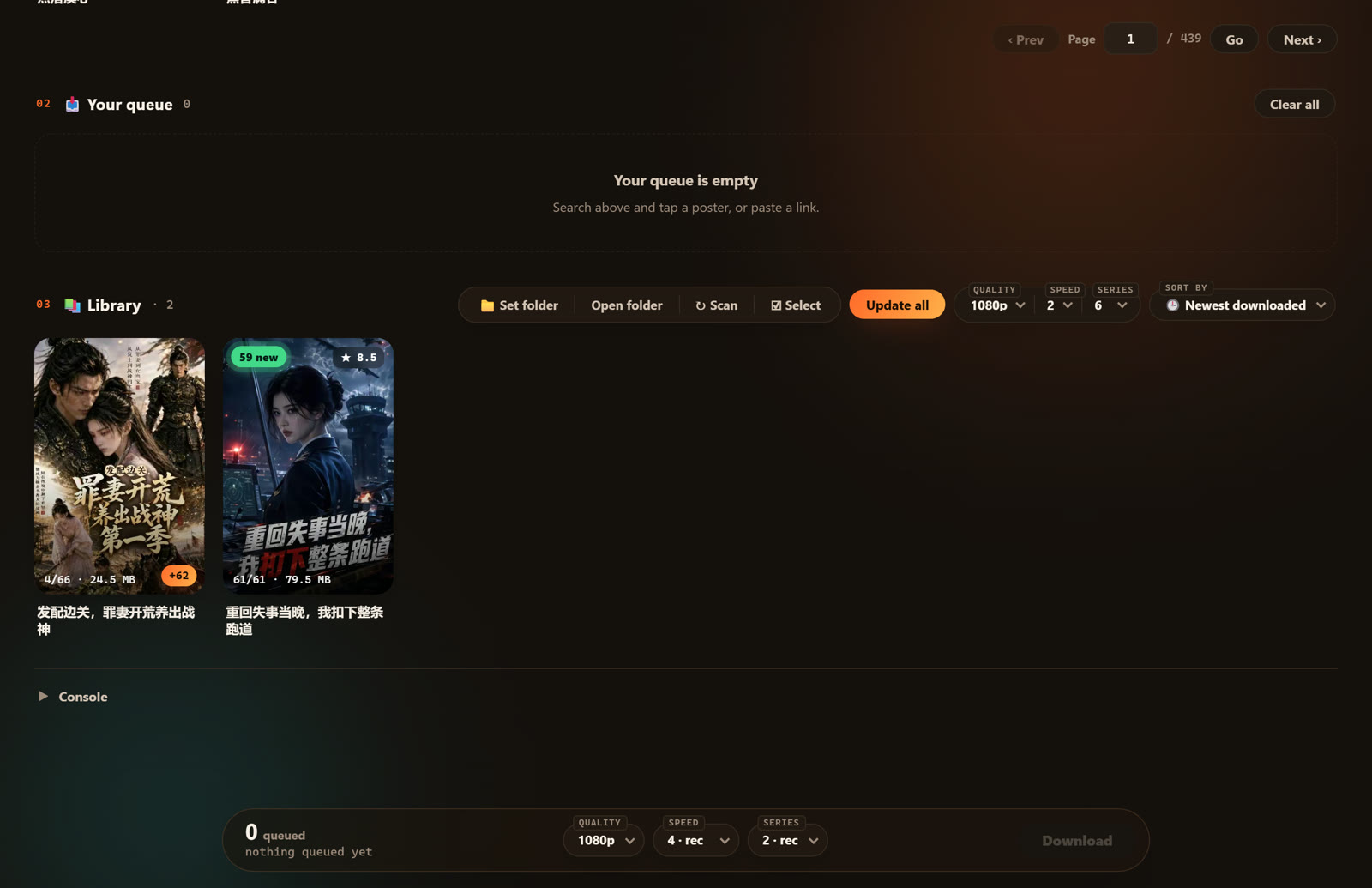
How to convert a download
- Open Library and find the episode or series you want to convert.
- Tap Convert.
- Let it run; the file is re-encoded into an H.264 MP4 you can move, edit, or play anywhere.
Convert works on anything you've already downloaded. If you haven't grabbed the series yet, start with the download walkthrough first.
Why this matters alongside v1.0.0.67's other fix
This same release also made every new download come out "clean and playable" from the start — see the full changelog — so most people won't need Convert on anything they grab going forward. Where it earns its place is older downloads from before this update, or any file a specific phone, player, or editor is still fussy about. Rather than re-downloading a whole series to fix a compatibility problem, Convert fixes the file you already have.
Frequently asked questions
What does Convert actually do?
It re-encodes a download into the H.264 codec inside an MP4 container — the most widely supported video format — so it opens on phones, players, and editors that might reject the original file.
Do I need to convert everything I download?
No. v1.0.0.67 already makes new downloads clean and playable by default. Convert is for files that still won't open somewhere, or anything downloaded before this update.
Is Convert the same as Merge?
No. Merge combines every episode into one chaptered file; Convert changes the encoding for compatibility. Both can be used on the same series.
Which version added this?
v1.0.0.67.
Try Convert yourself
Download a series with Hongguo Downloader, then hit Convert in your Library for a file that opens anywhere.